
Ink Hub
Booking and Studio Management App
Desktop web application
Key Features
Calendar, Inquiries, Conversations, Clients, Payments, Company, Users, Settings
Month, week, day and agenda views across every location, with blocked time and quick event creation.
Deposits, invoices, payment links, refunds and transfers, each with a history log.
Every request becomes an inquiry with slots, a quote and a deposit before it turns into an appointment.
One company running several locations, each with its own hours and team.
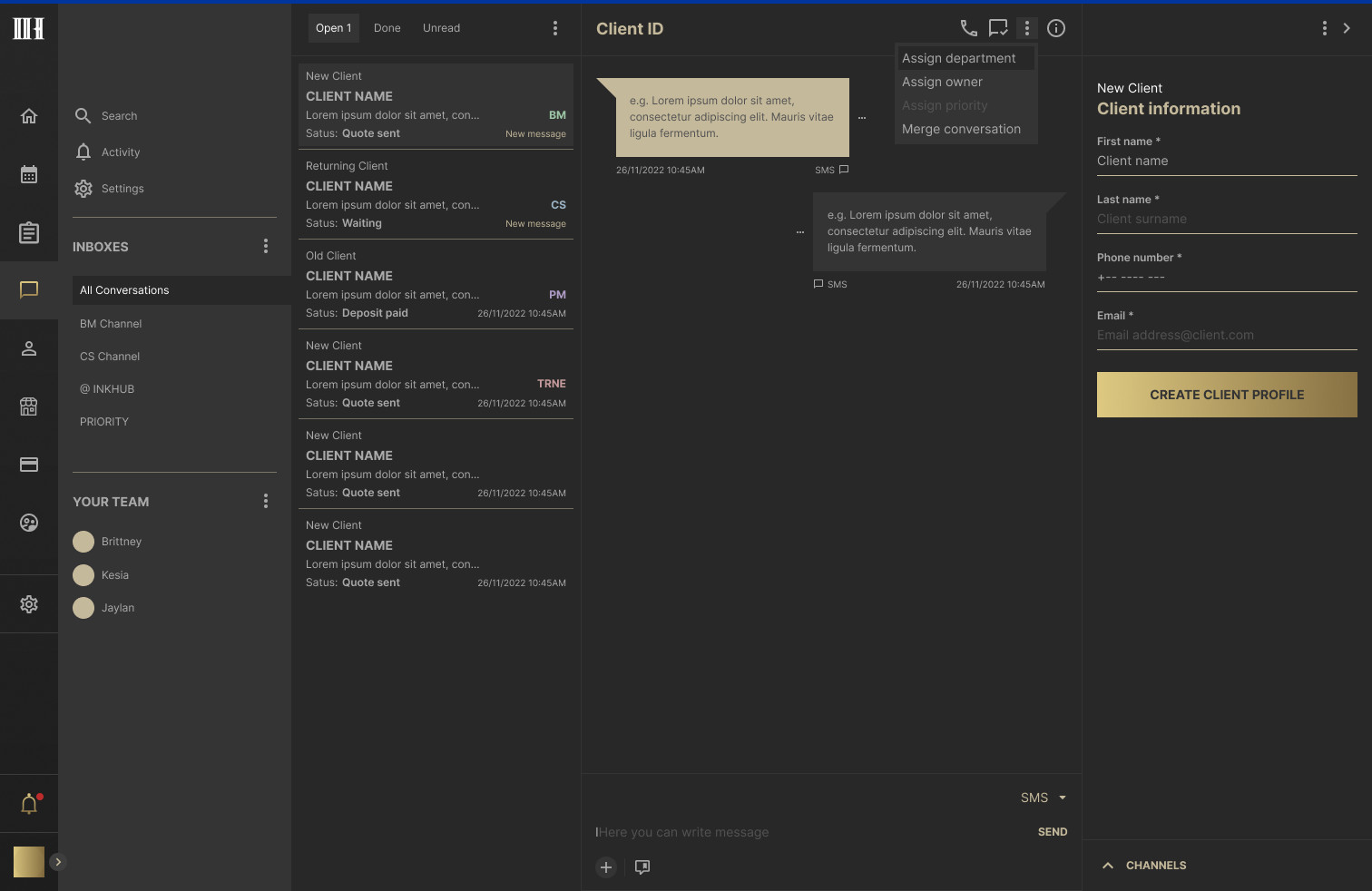
One inbox for every channel, with saved replies and merging of duplicate threads.
Internal roles and staff roles, each seeing only what they need.
A profile per client with appointments, deposits, invoices, documents and a running balance.
Each business sets its own logo, colors and deposit policy for the client-facing checkout.
About Ink Hub
Client and Project
Ink Hub is a web application for businesses that run on appointments: a booking calendar, a client inbox, deposits and invoicing, and the team behind them, in one place. It was built for companies with more than one location, where the same client can talk to a front desk, a booking manager and a specialist before anything is confirmed.
The brief was an operating system for the whole booking journey, from the first message to the final payment, that a front desk, a booking manager and an owner could all work in at once.
My Responsibilities
UX/UI and Design System
- UX: information architecture, user flows and wireframes for every module, sprint by sprint.
- UI: the complete desktop interface, from the calendar to checkout settings.
- Design system: color and type tokens, components and table patterns used across all screens.
Calendar
Every location, one schedule
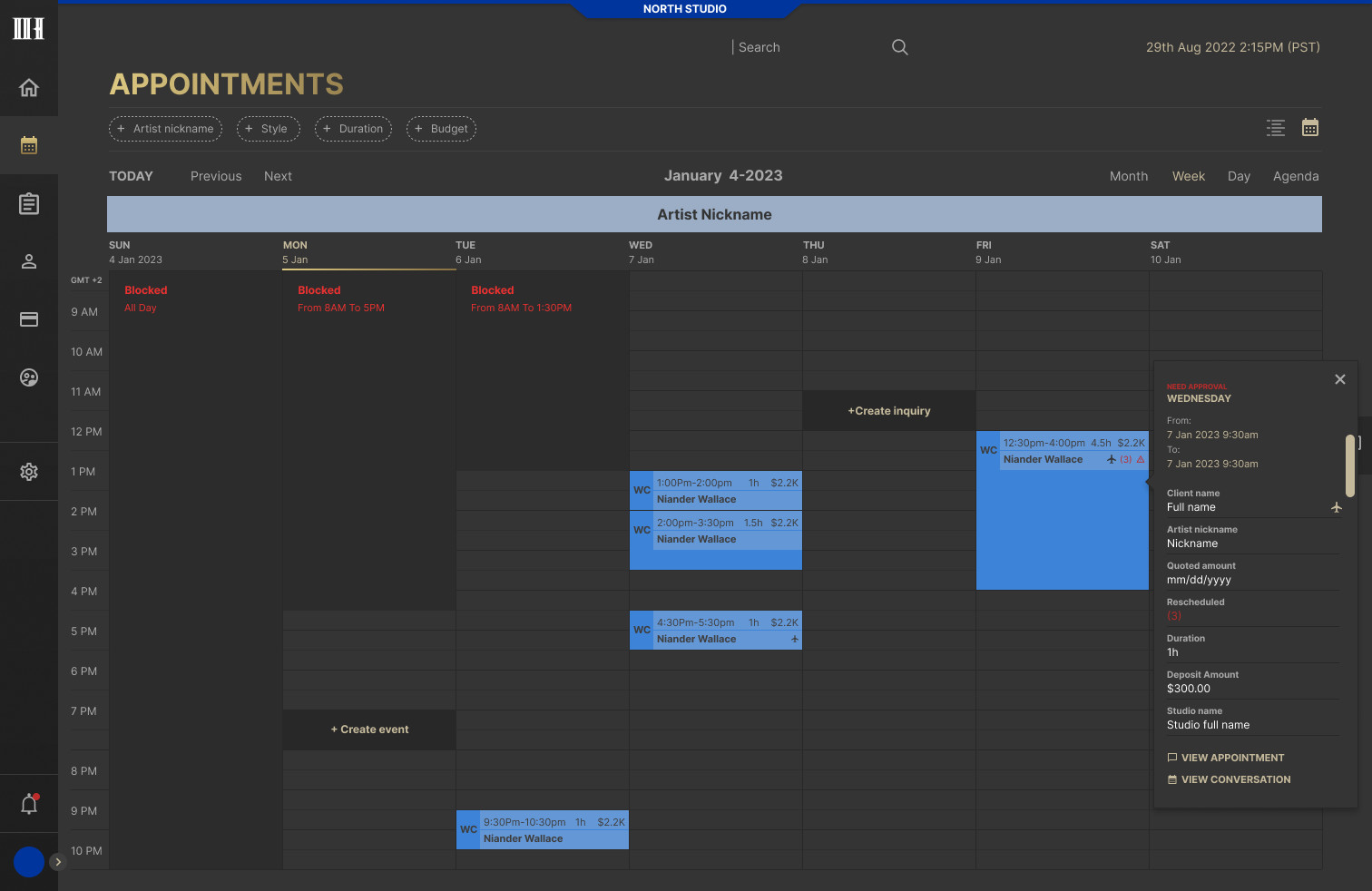
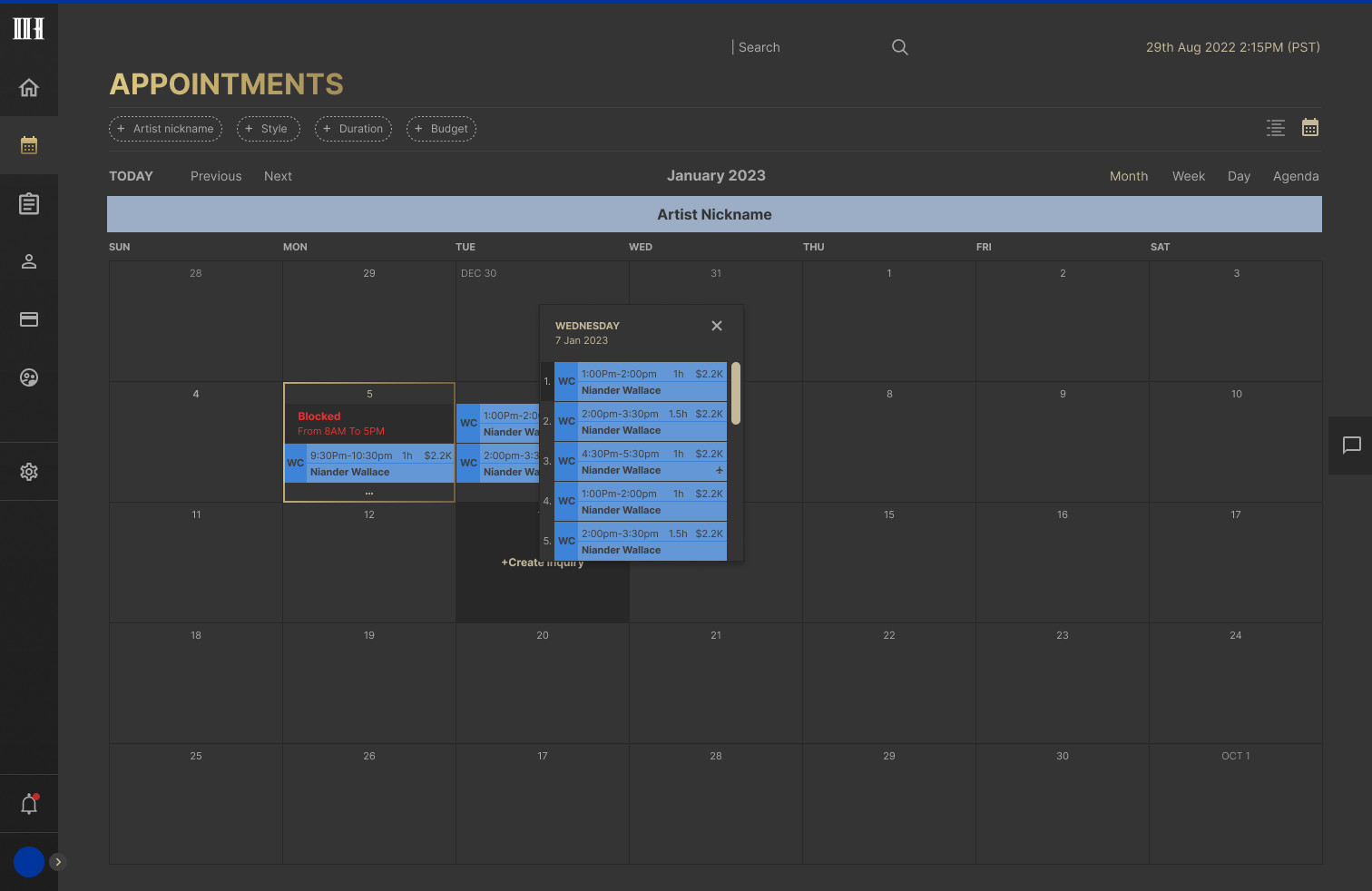
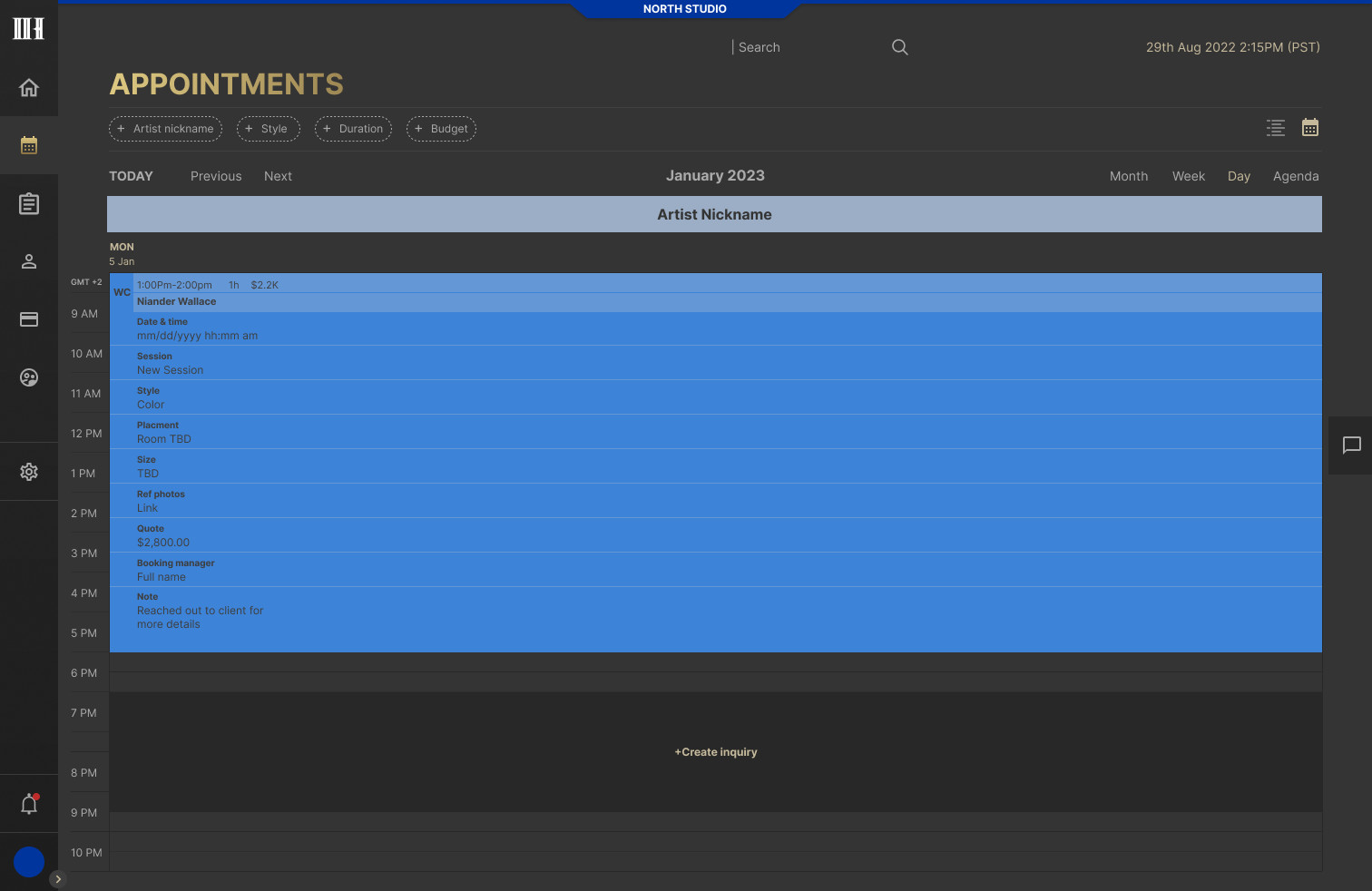
The calendar is the screen the team lives in. Week view shows booked time in blue, blocked time in red and open slots ready for a new inquiry or event, and a side panel opens any appointment without leaving the week. Month and day views use the same rules, so switching views never means relearning the screen.
Week view with appointment panel
Month view
Day view
Inquiries
From request to appointment
Most requests are not bookings yet. An inquiry holds everything the team needs before saying yes: preferred dates, slots, a quote range and a deposit, with each status visible in the list. One inquiry can carry several appointment slots, and it becomes an appointment only once the deposit is paid.
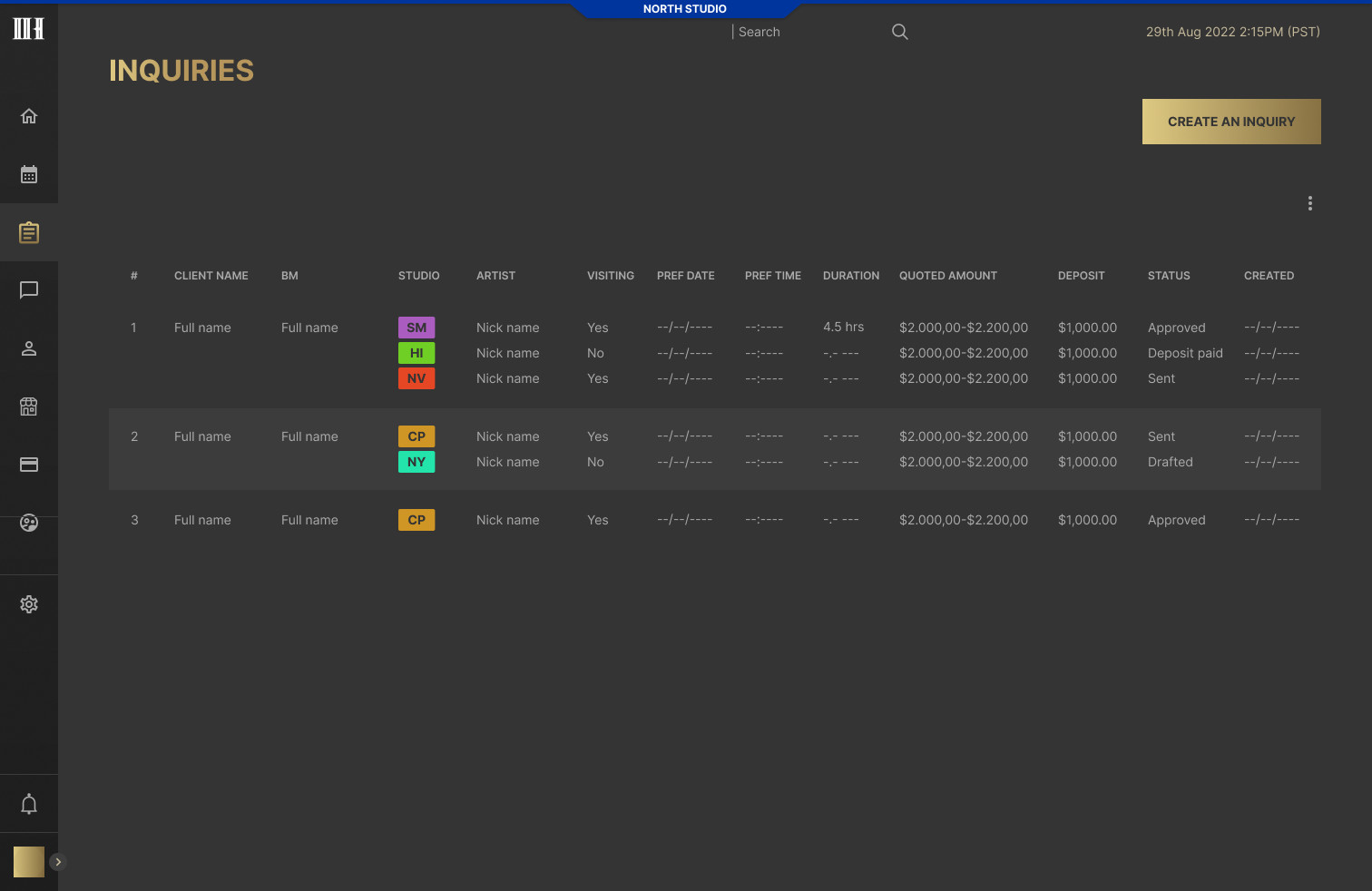
Inquiry list
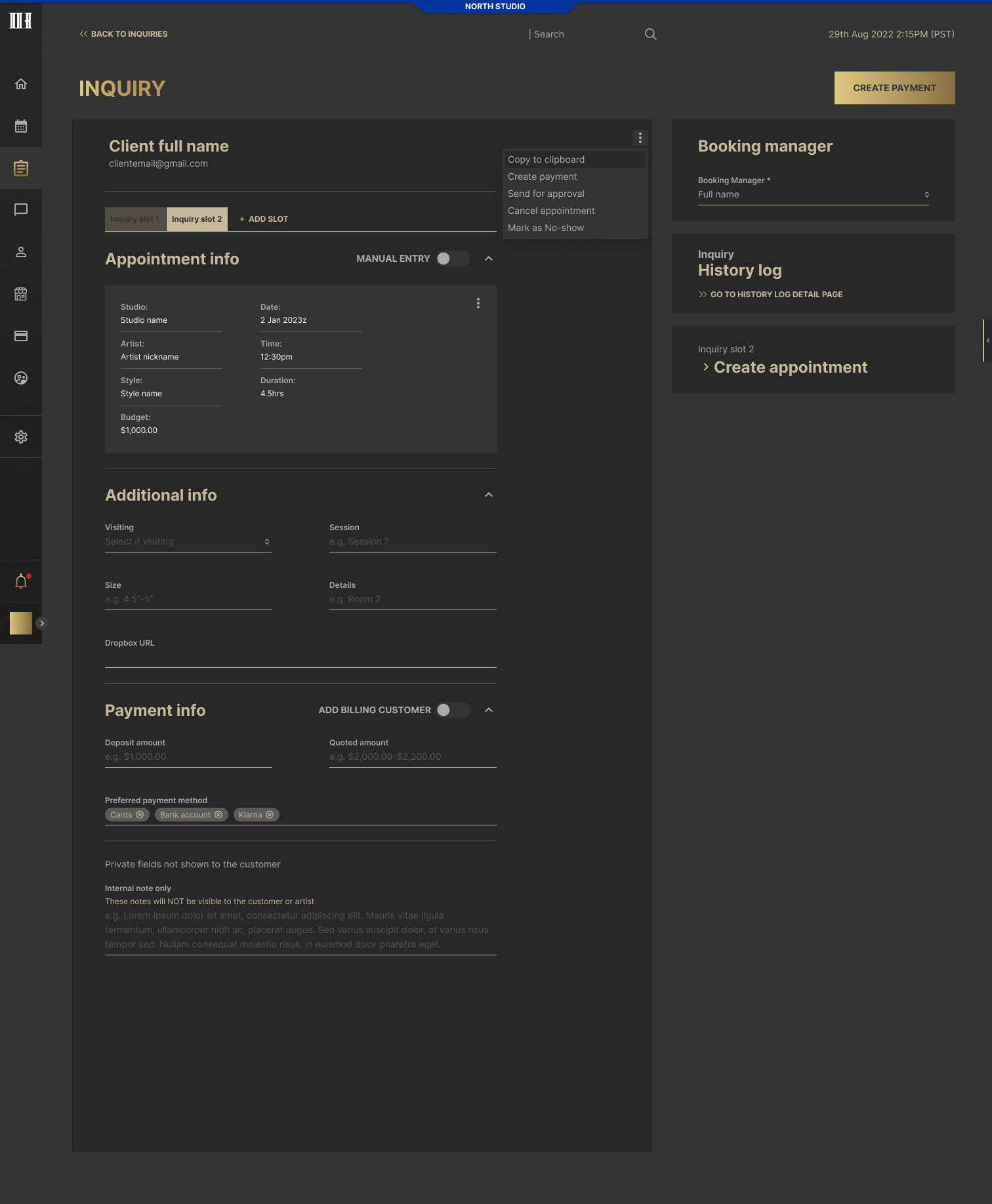
Inquiry page
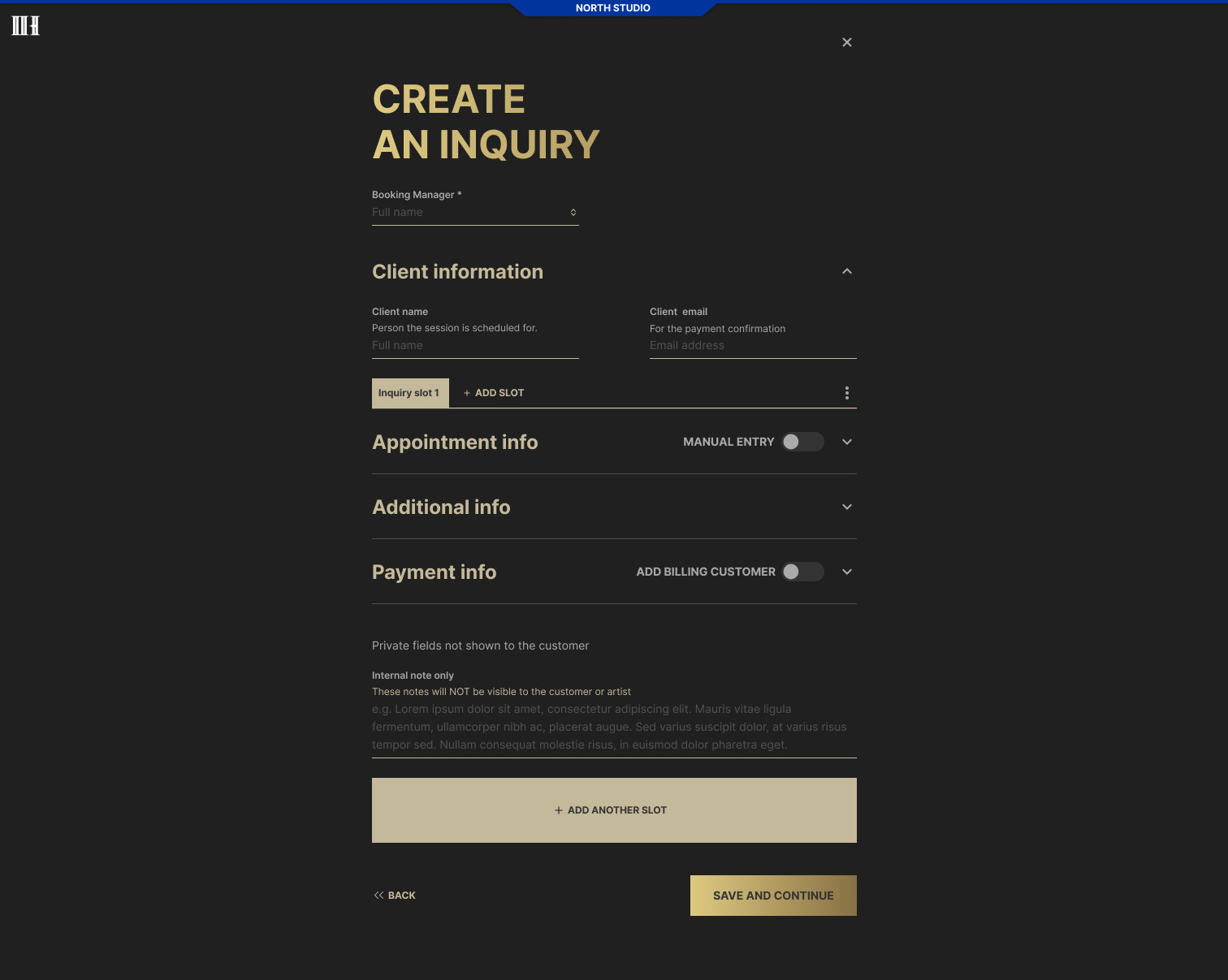
Create an inquiry
Conversations
One inbox for every channel
Clients write by text message, email and social media. Conversations brings every channel into one inbox with team inboxes, saved replies for the questions asked every day, merging when the same client writes twice, and an inquiry created straight from the chat.
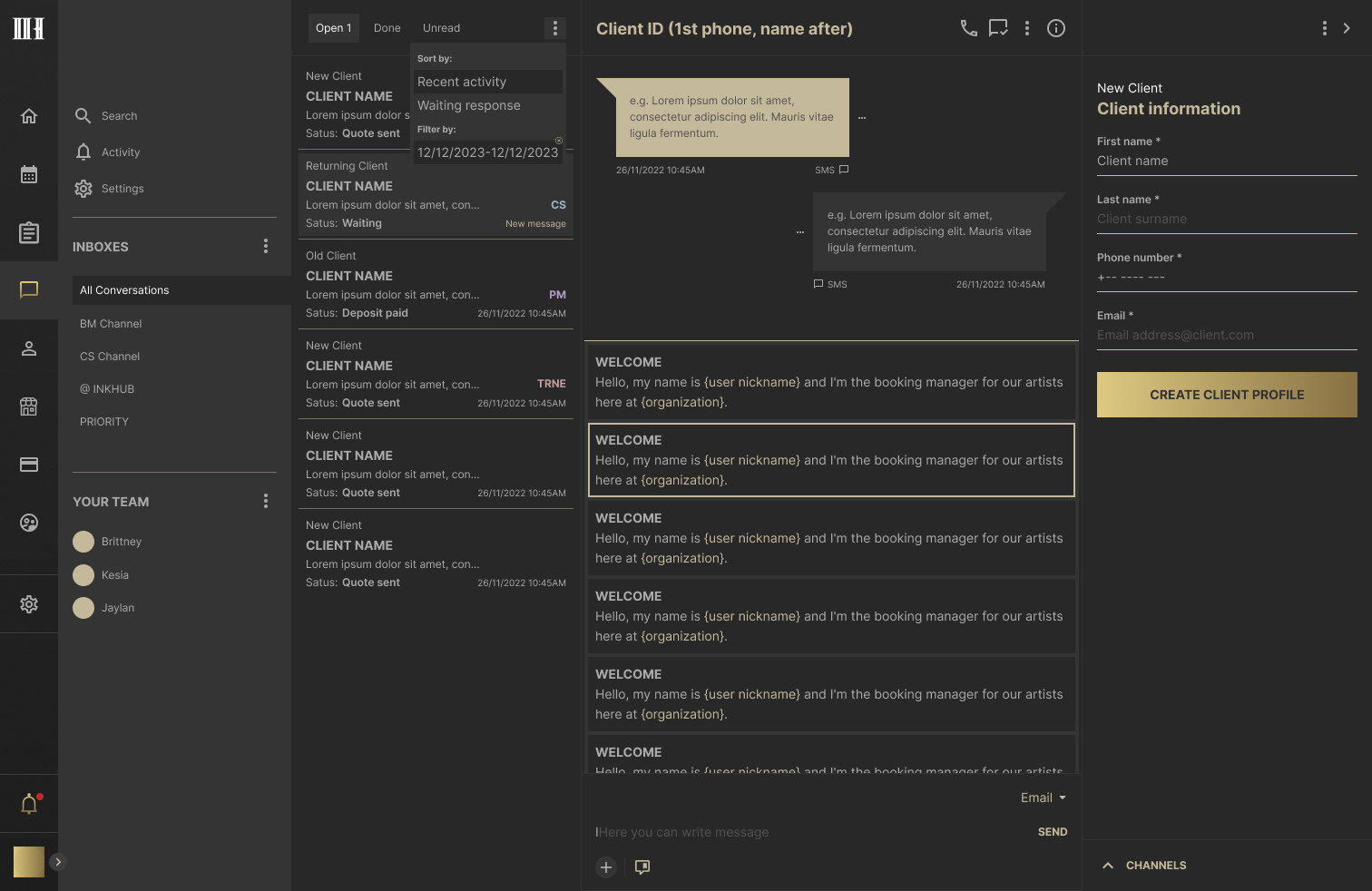
Saved replies
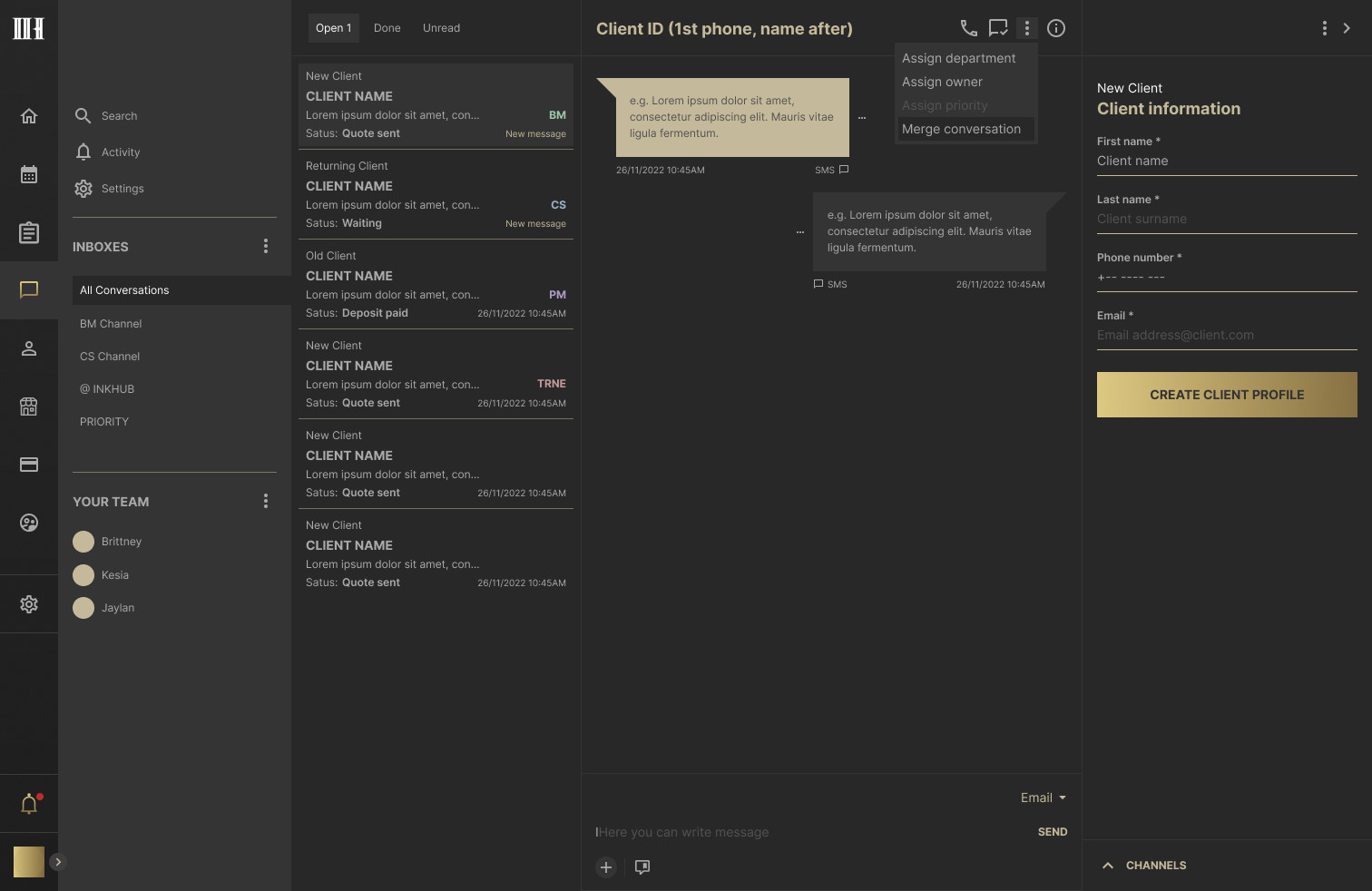
Merging conversations
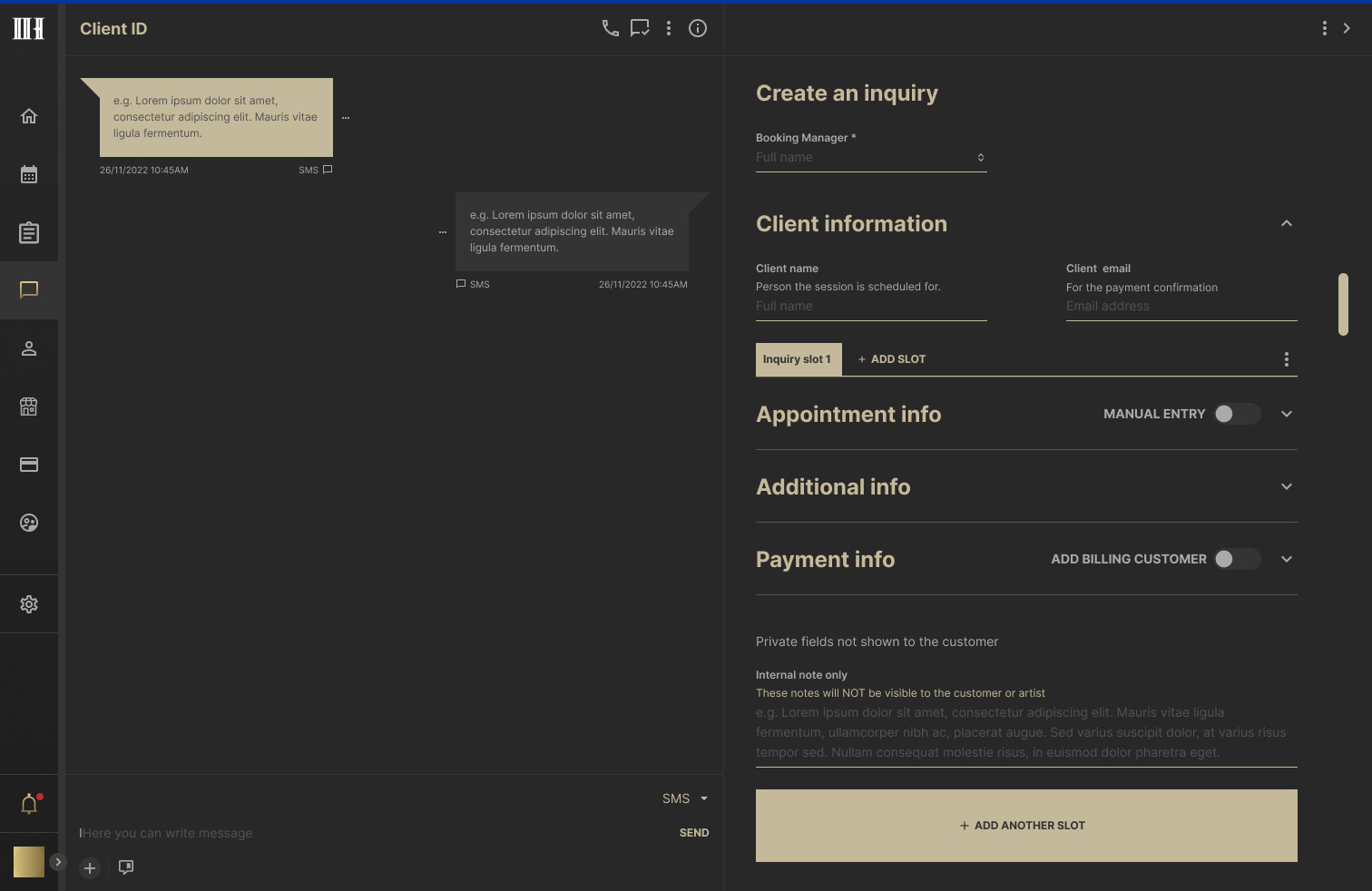
Inquiry from a conversation
Clients and Balance
The whole history in one profile
Every client has one profile: details, appointments, deposits, invoices and documents. Deposits add up to a balance that can be refunded, transferred to another client or forfeited, and every movement is written to a history log, so money questions have an answer.
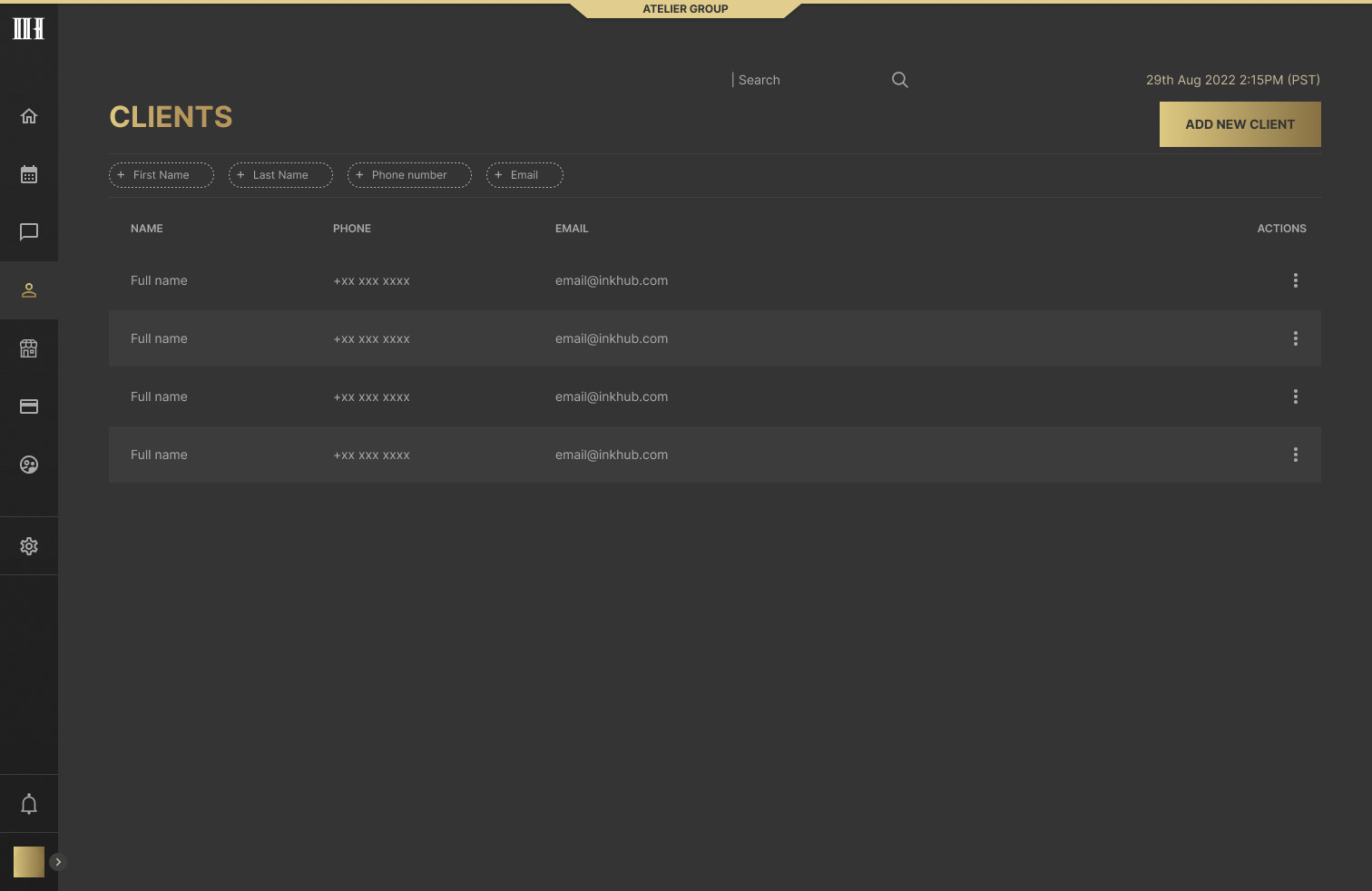
Client list
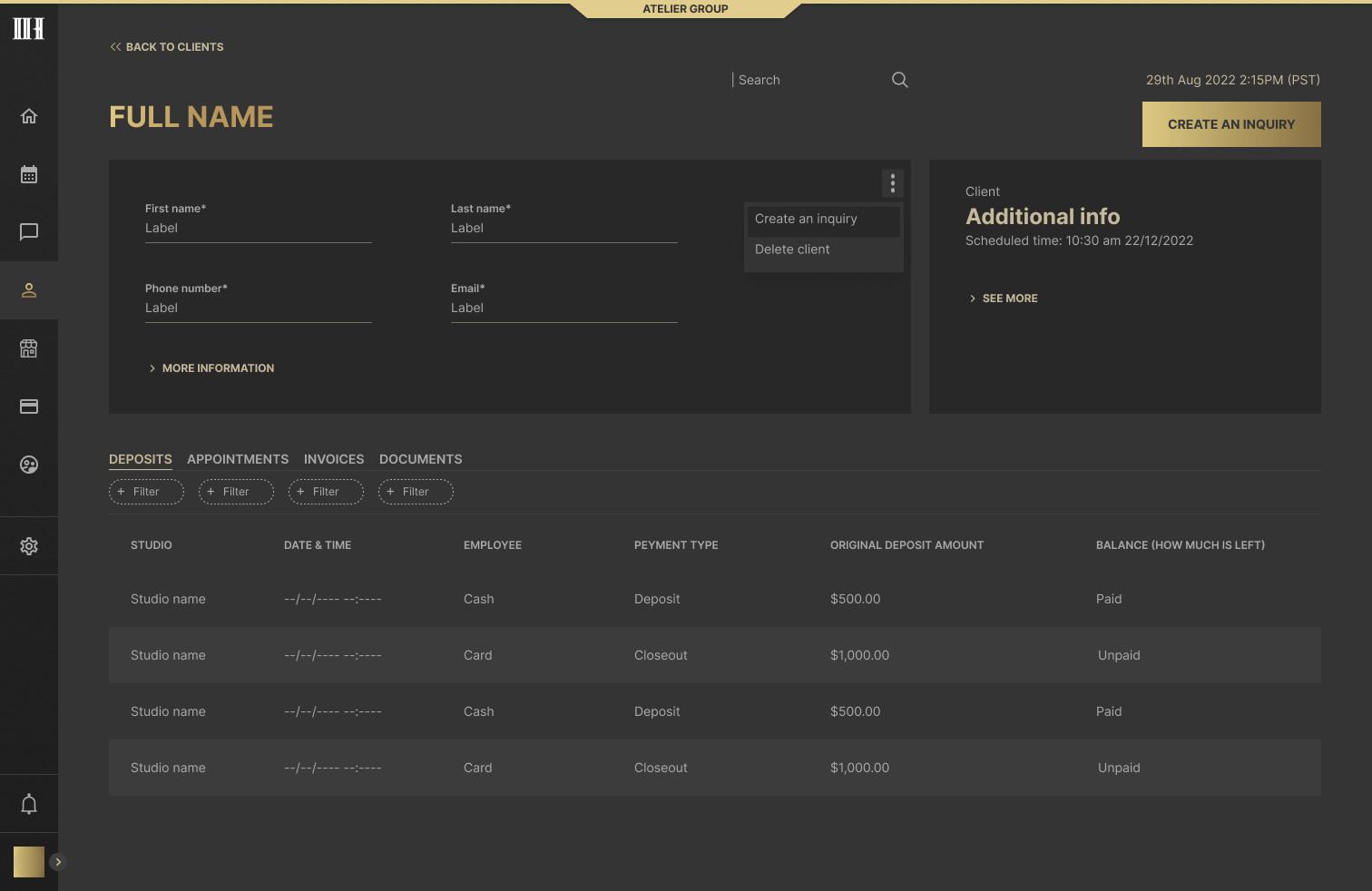
Client profile
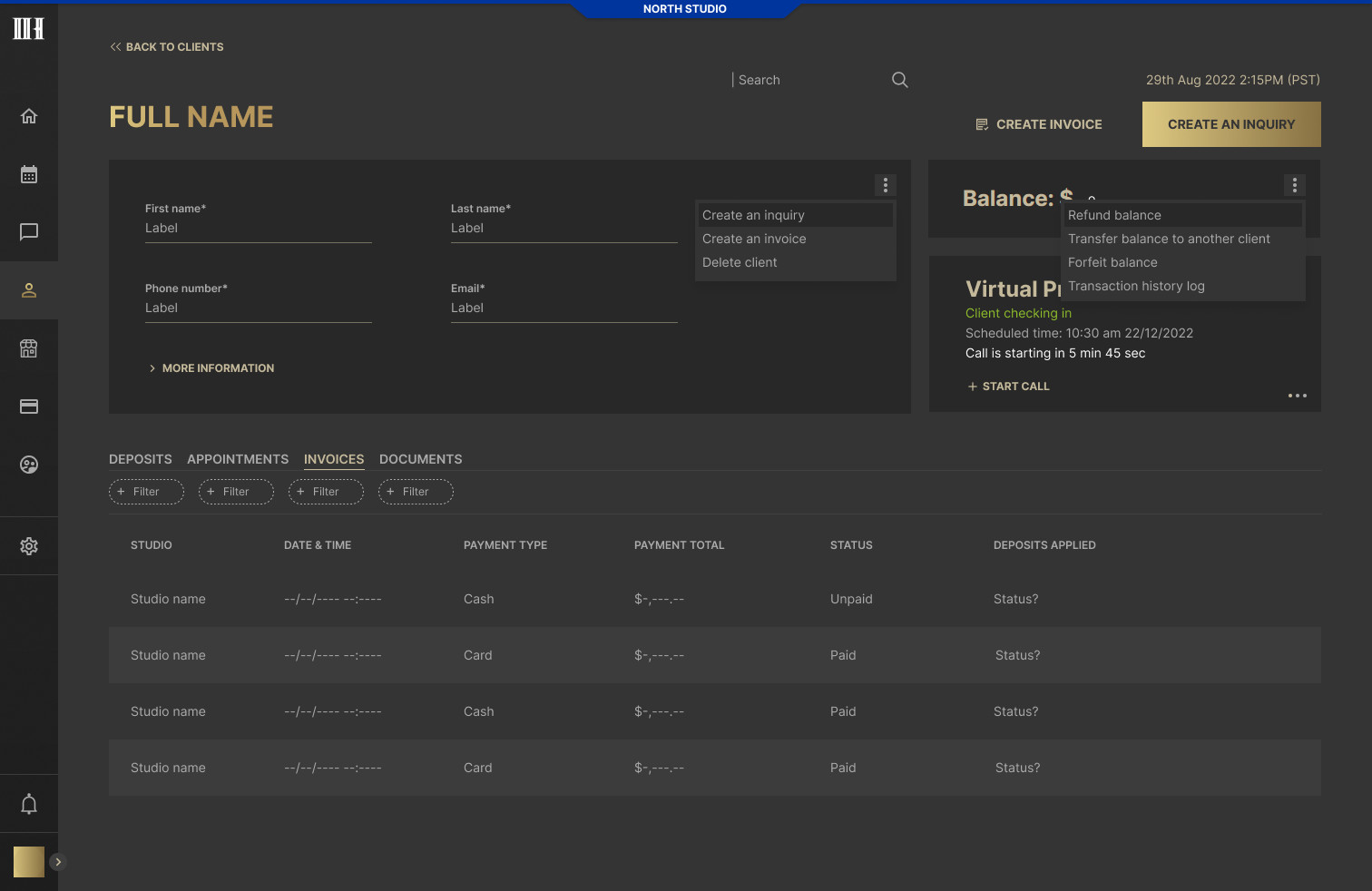
Client balance
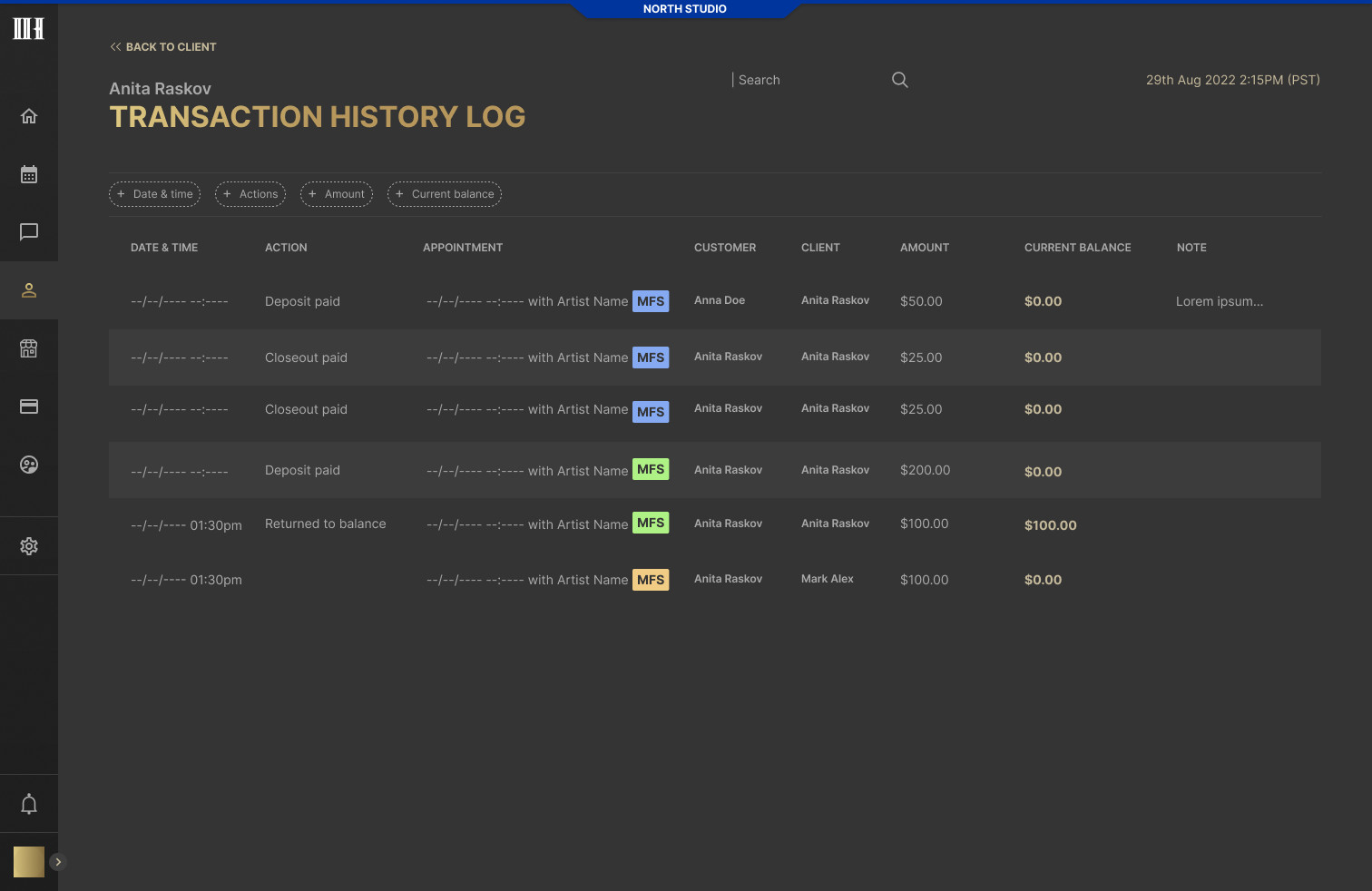
Transaction history log
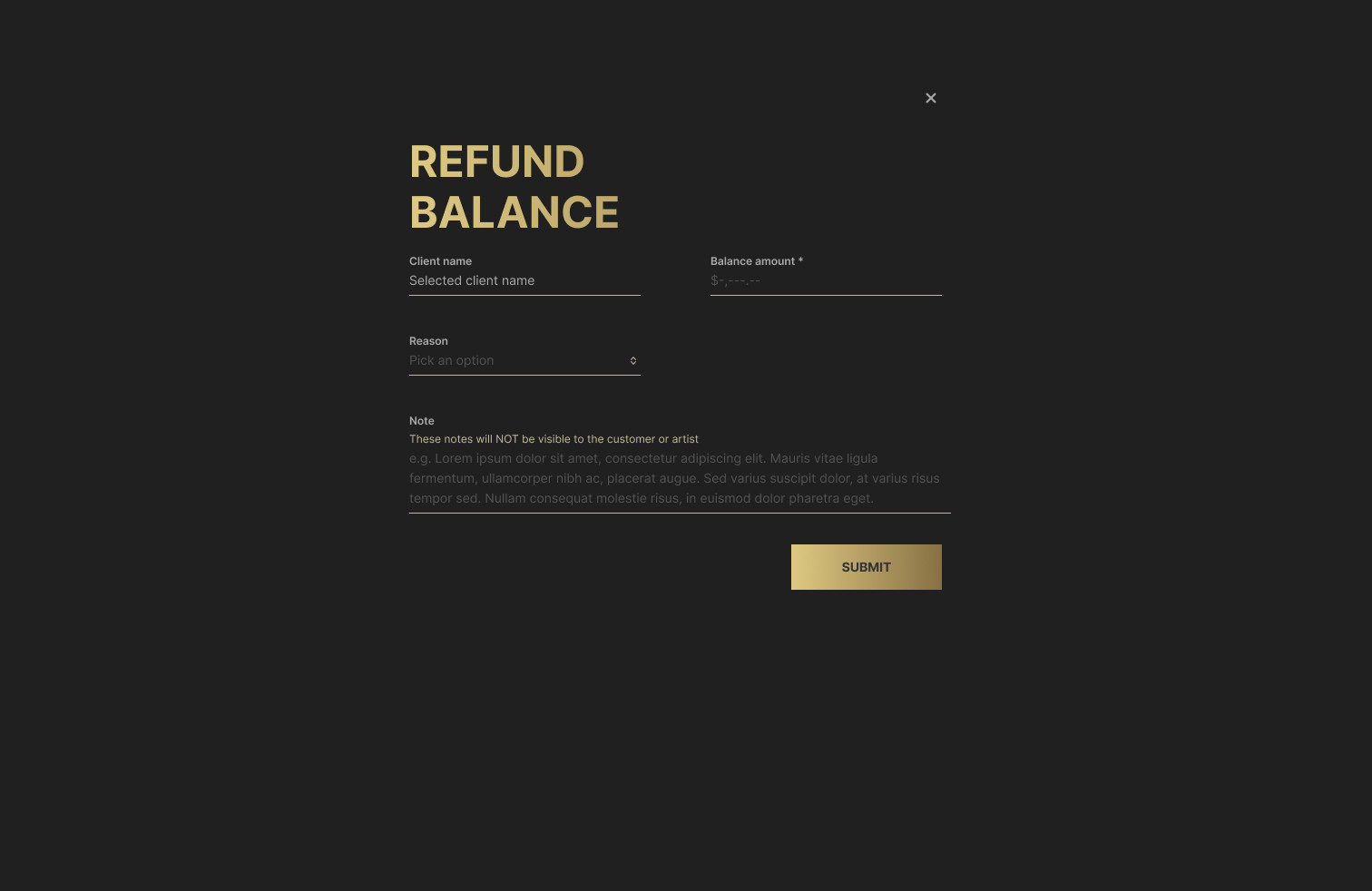
Refund balance
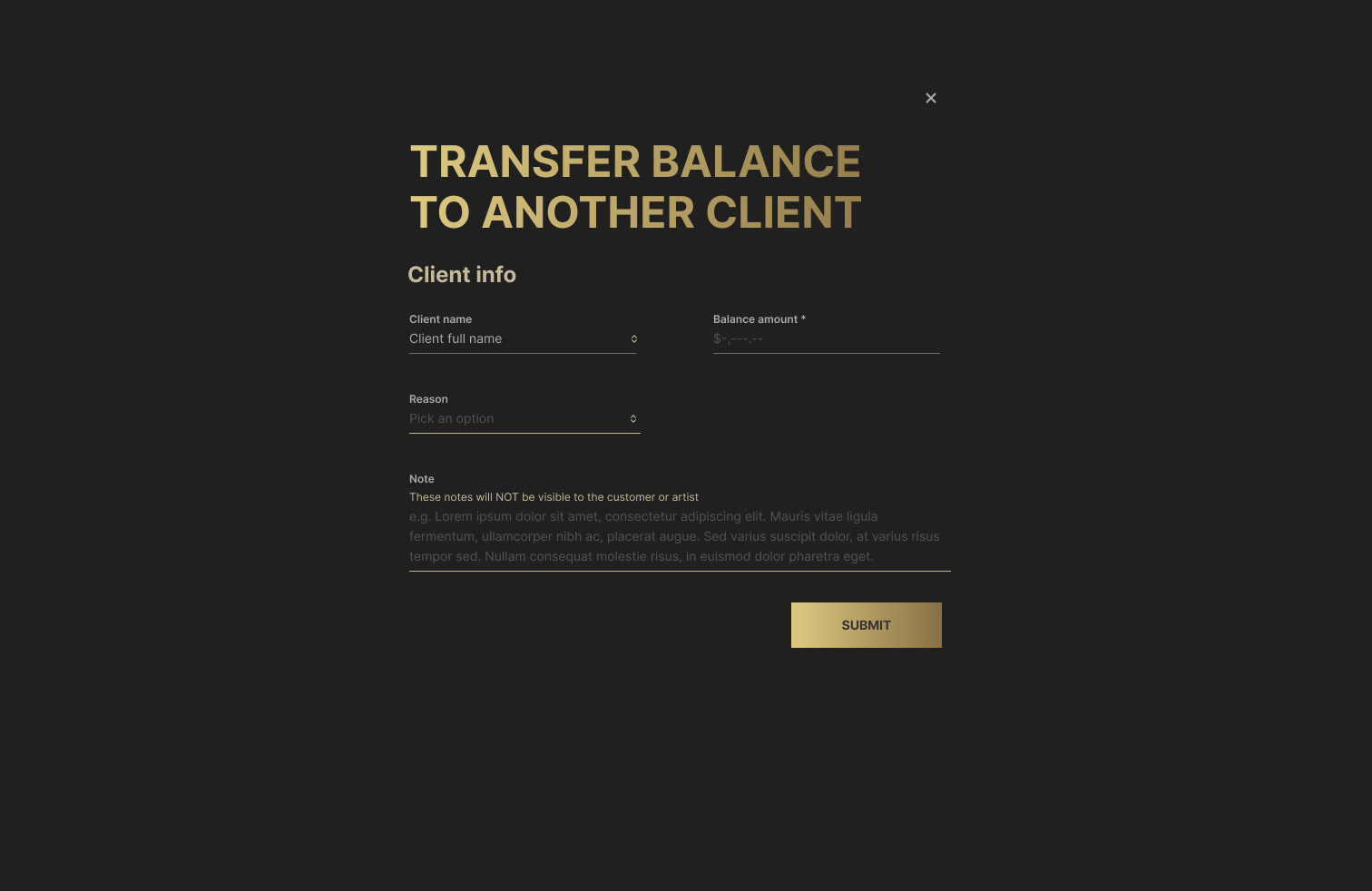
Transfer balance
Invoices and Payments
Getting paid without chasing
Invoices are built from appointments, so nothing is typed twice. The team can send one payment link for several appointments at once and review an invoice against earlier payments before closing it.
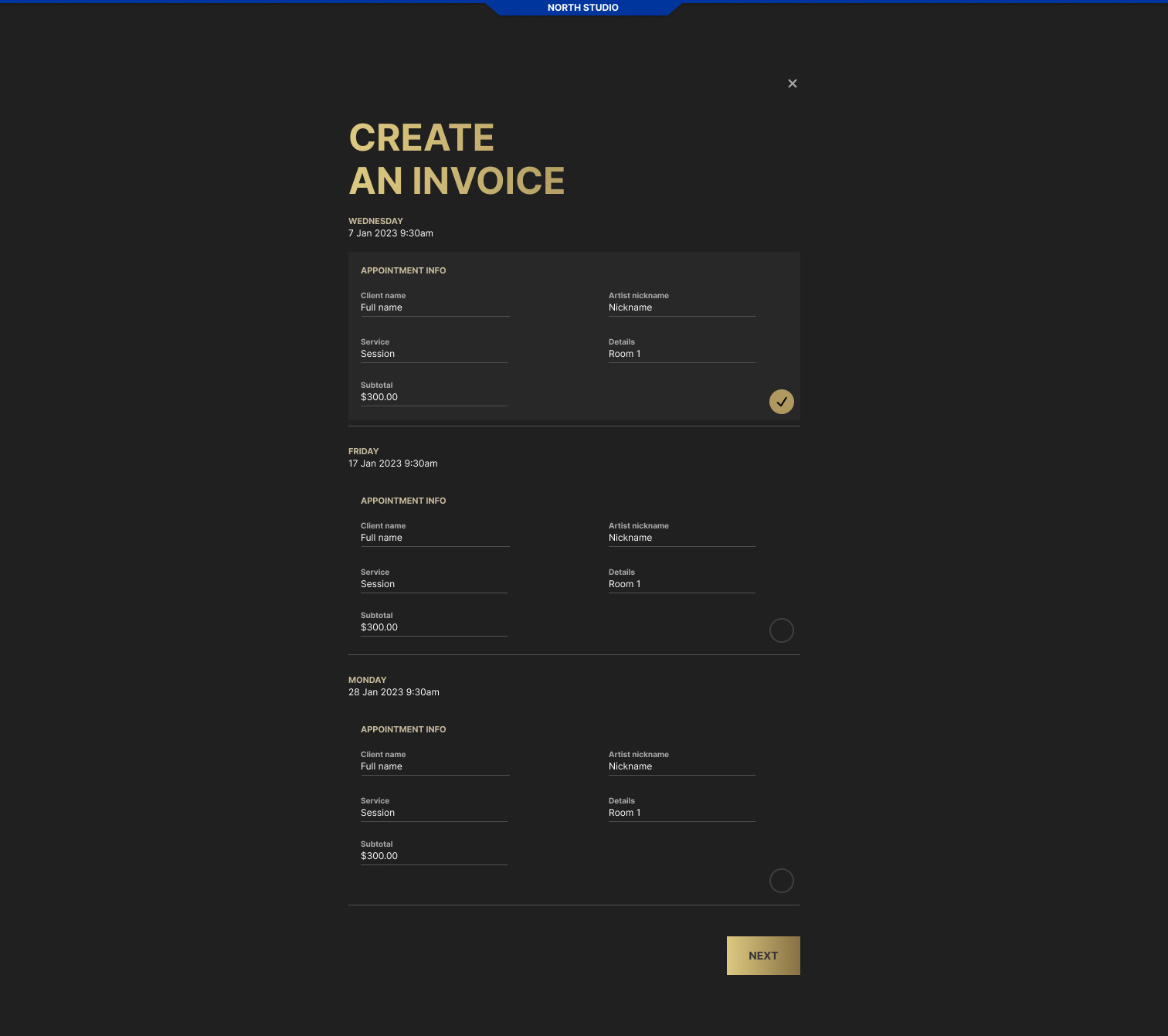
Create an invoice
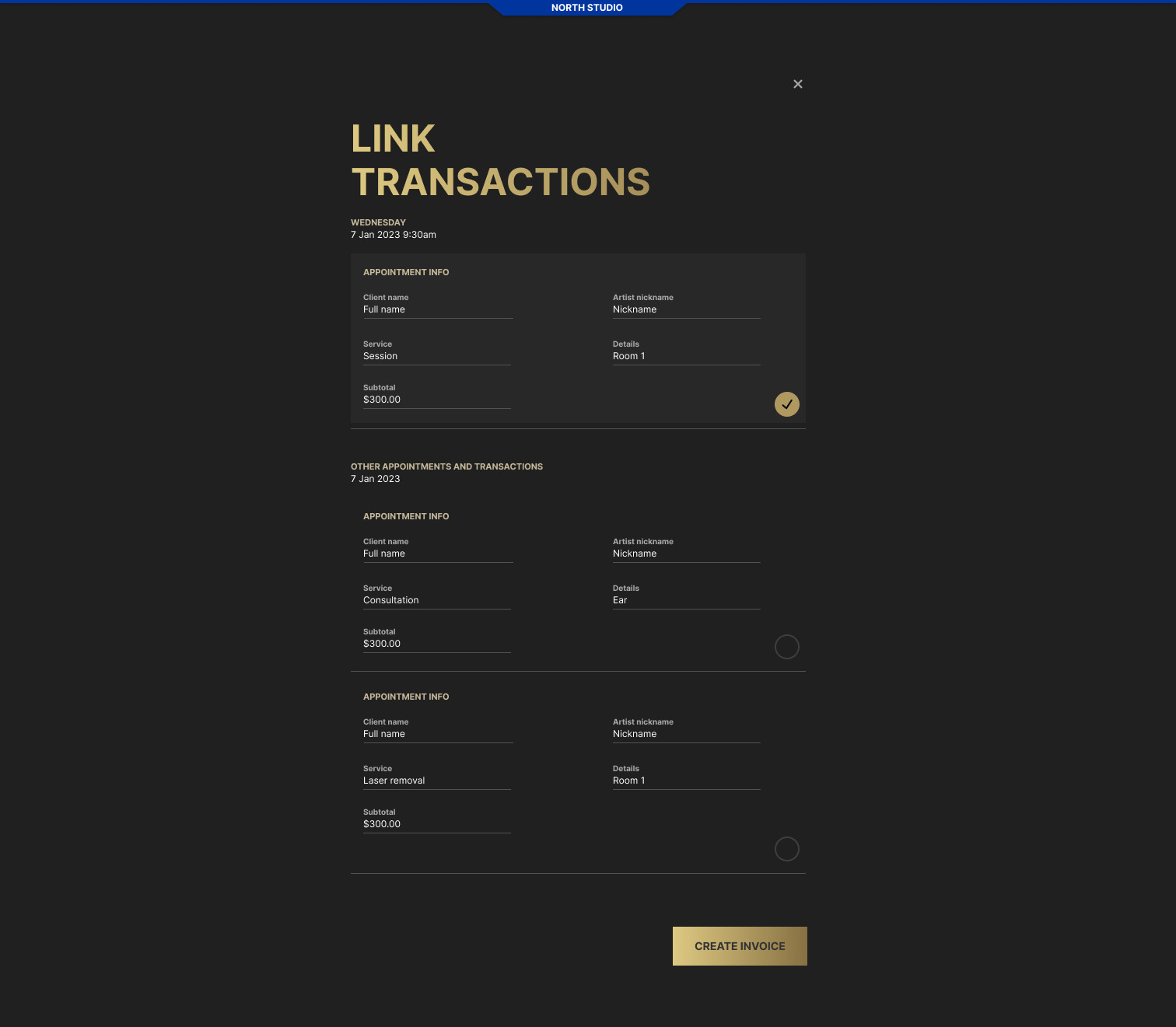
Link transactions
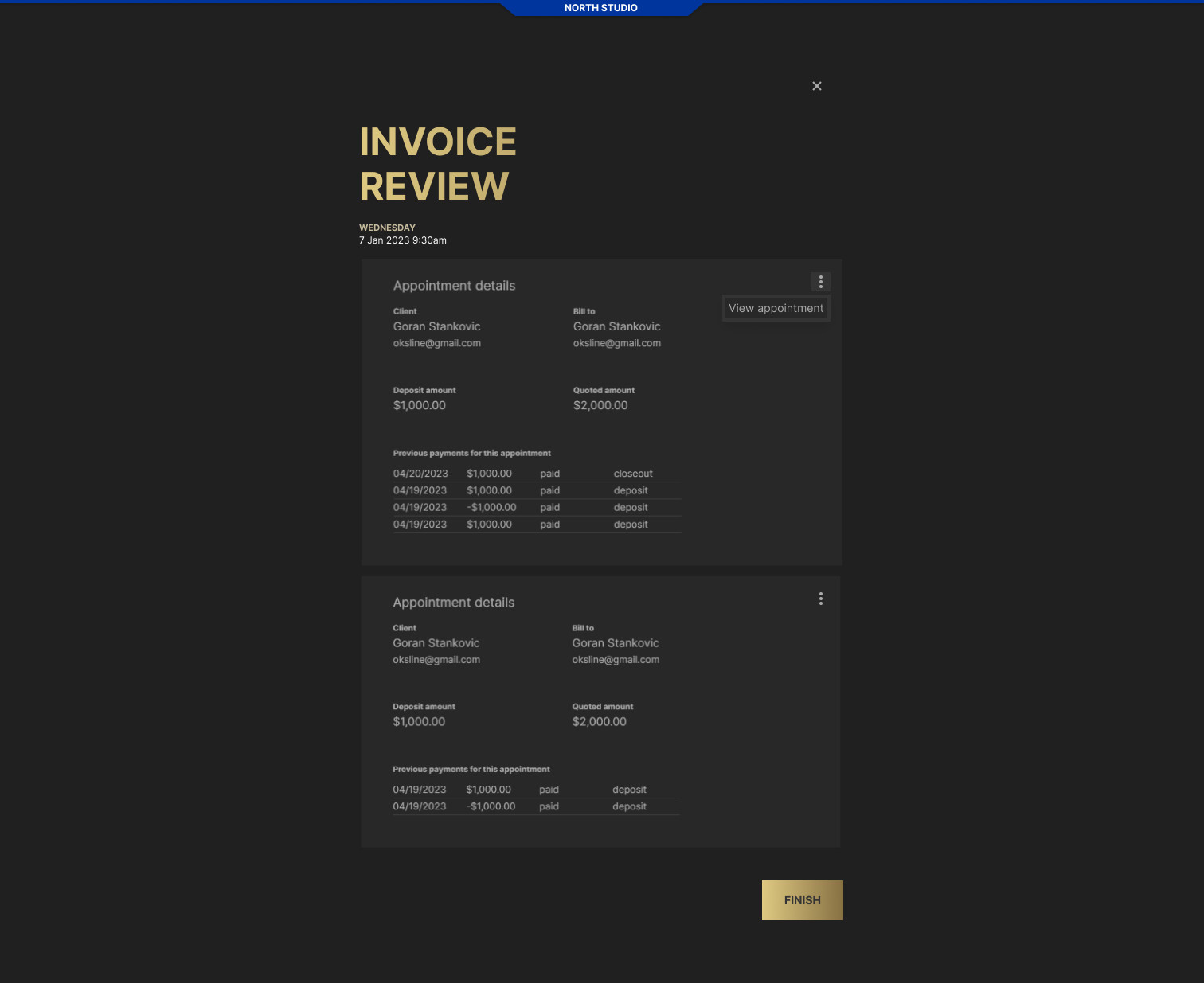
Invoice review
Company and Team
Several locations, one company
A company can run several studios, each with its own address, hours and work force. Users are added through a short flow that starts with a role, internal (admin, booking manager, customer support) or staff, so each person sees only the parts of the product they need.
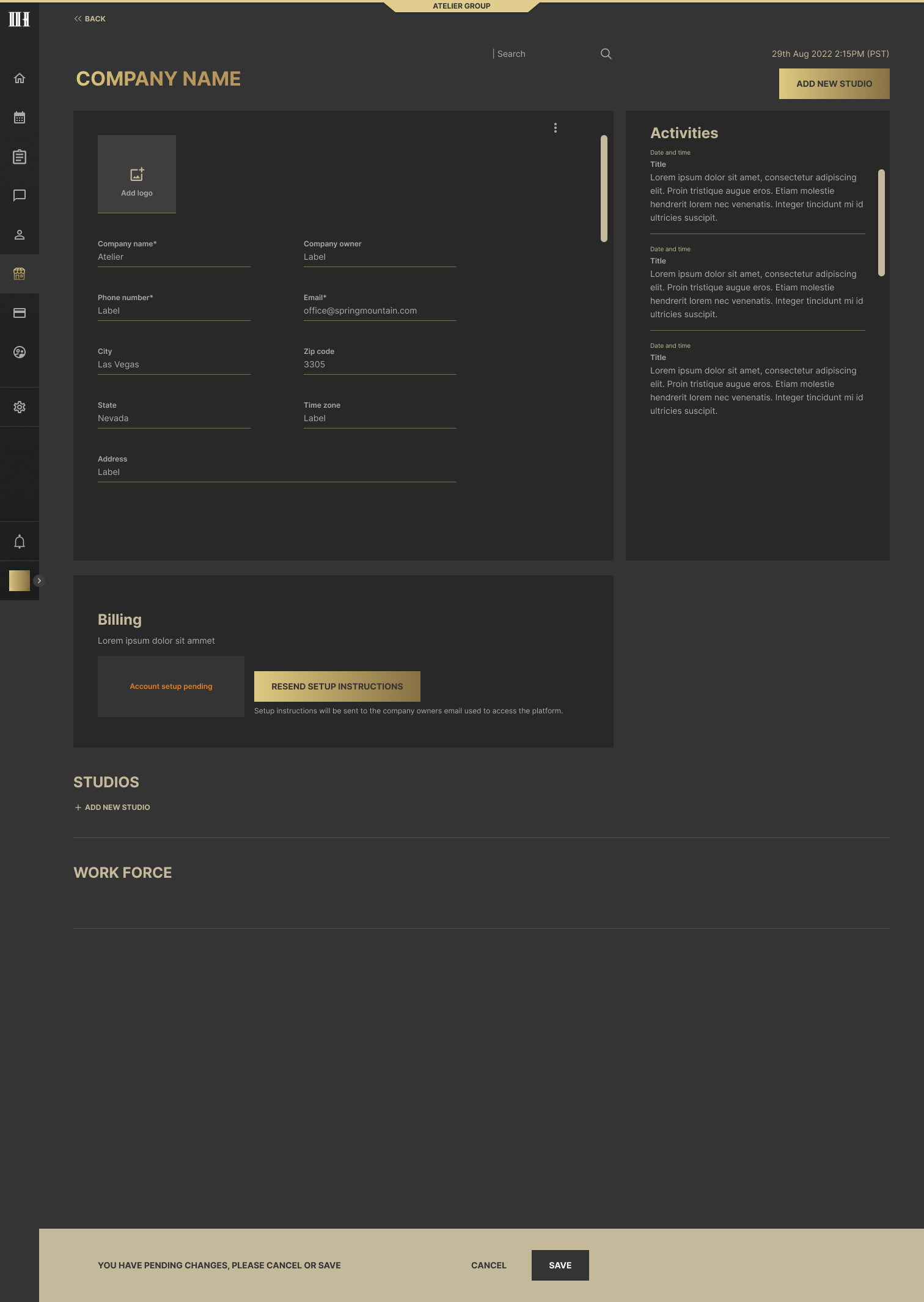
Company page
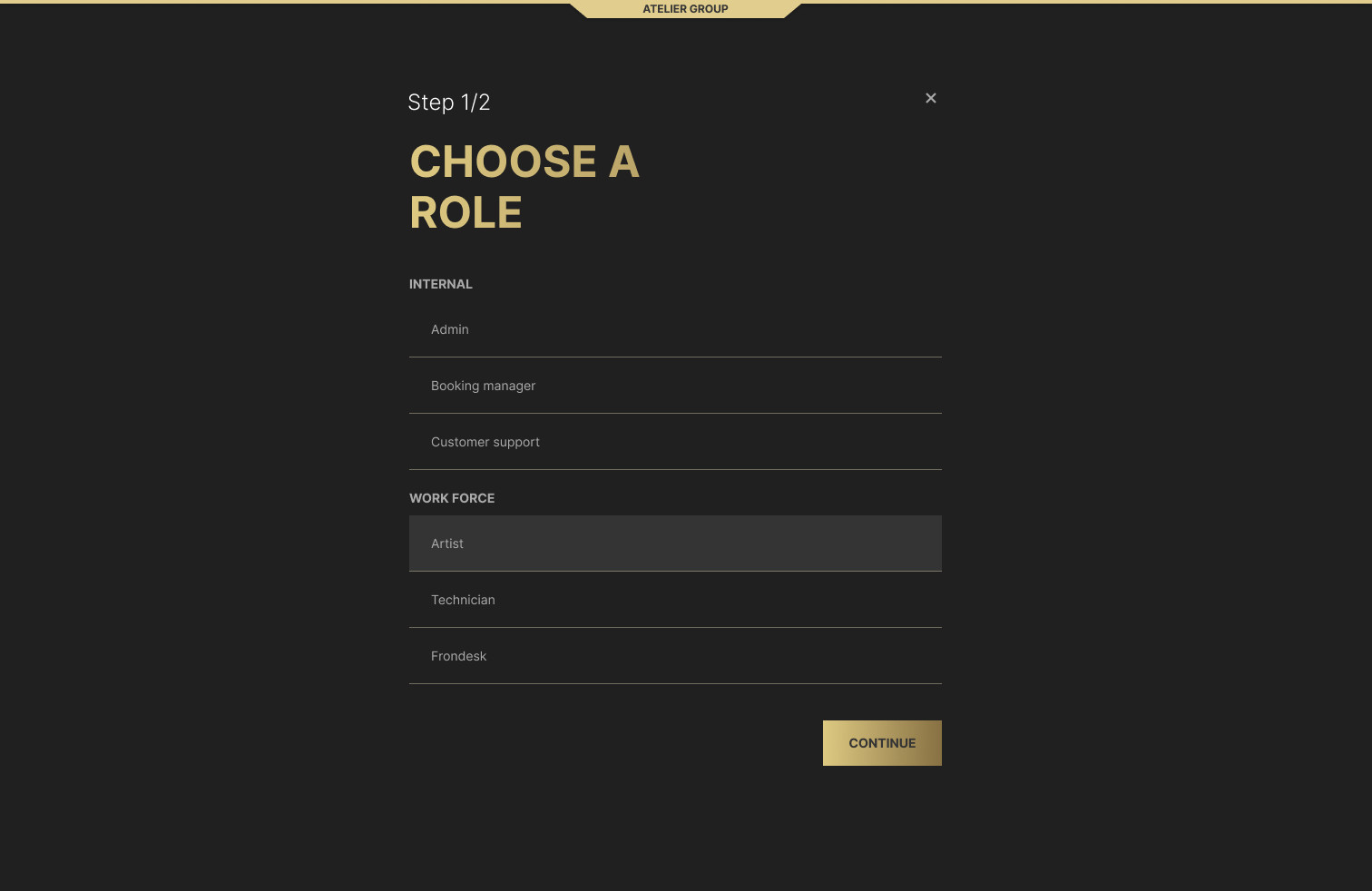
Choose a role
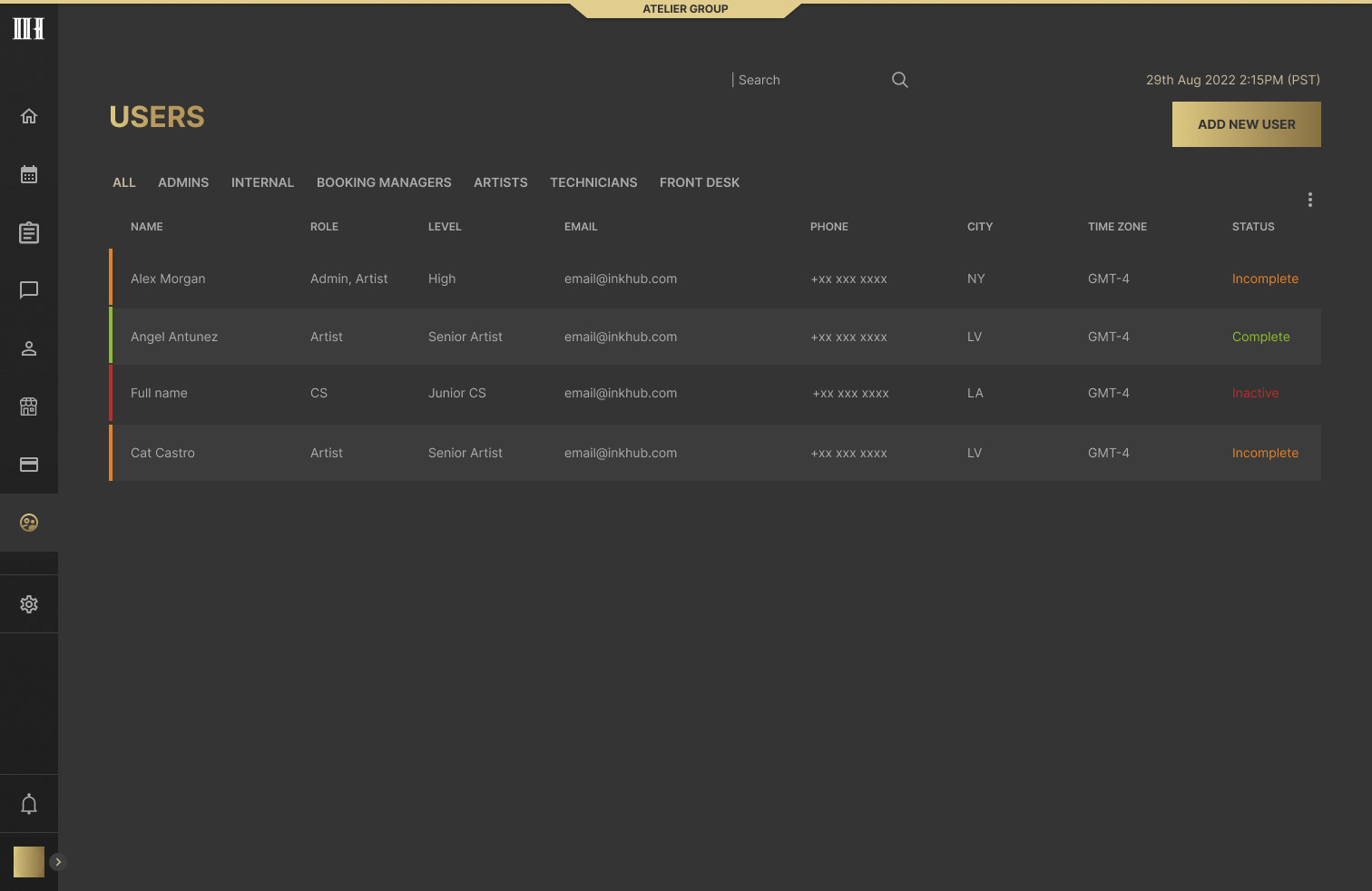
Users
Settings
A checkout in the client’s colors
The client-facing checkout carries each business’s own logo, background and colors, and its own deposit policy. Settings shows a live preview while the colors are chosen, so the business sees the result before saving.
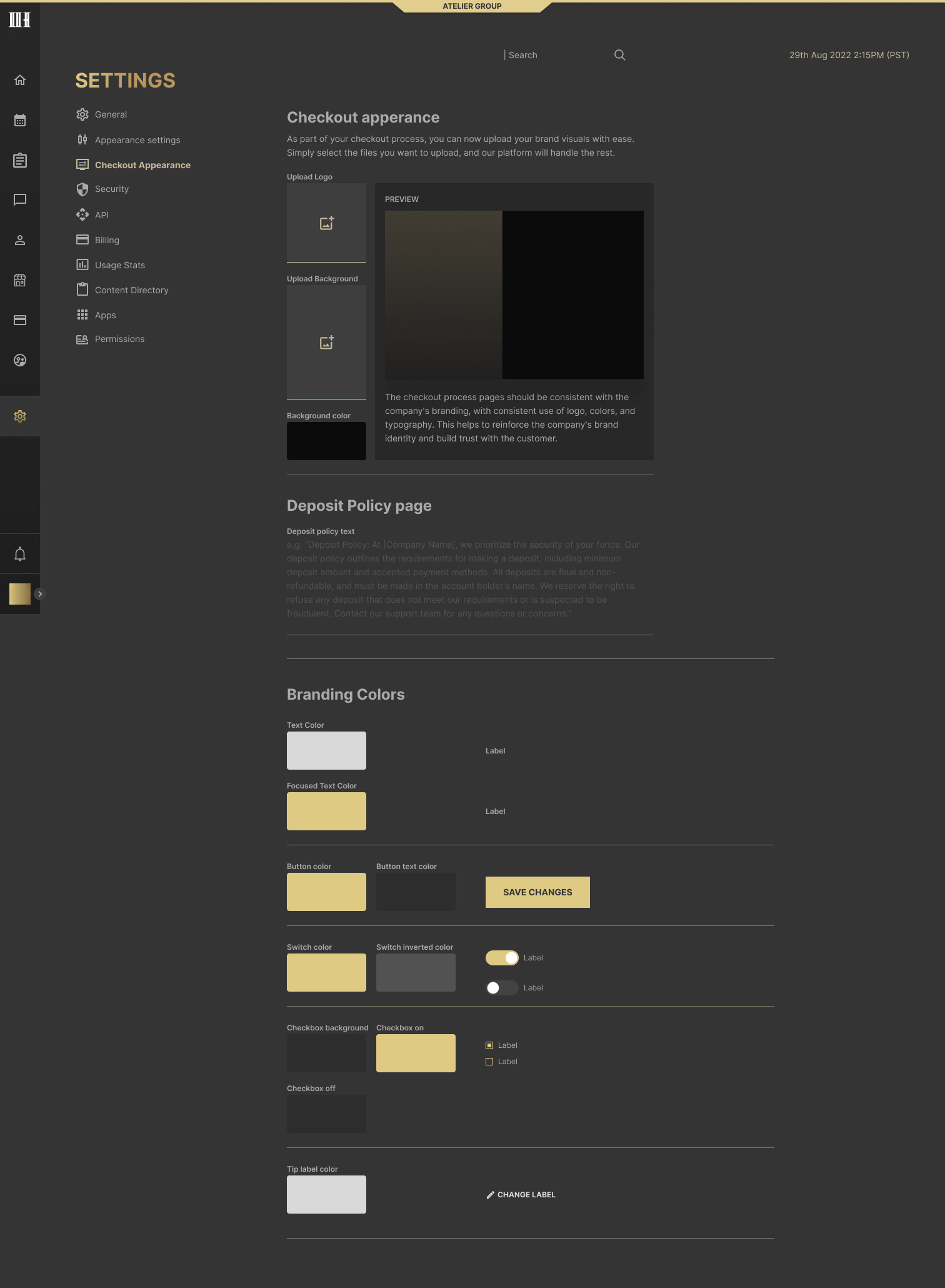
Checkout appearance
Thank you!