Porsche Customer Connect

Dealership interactive screen

UX/UI DesignBuilt for Porsche China
Porsche
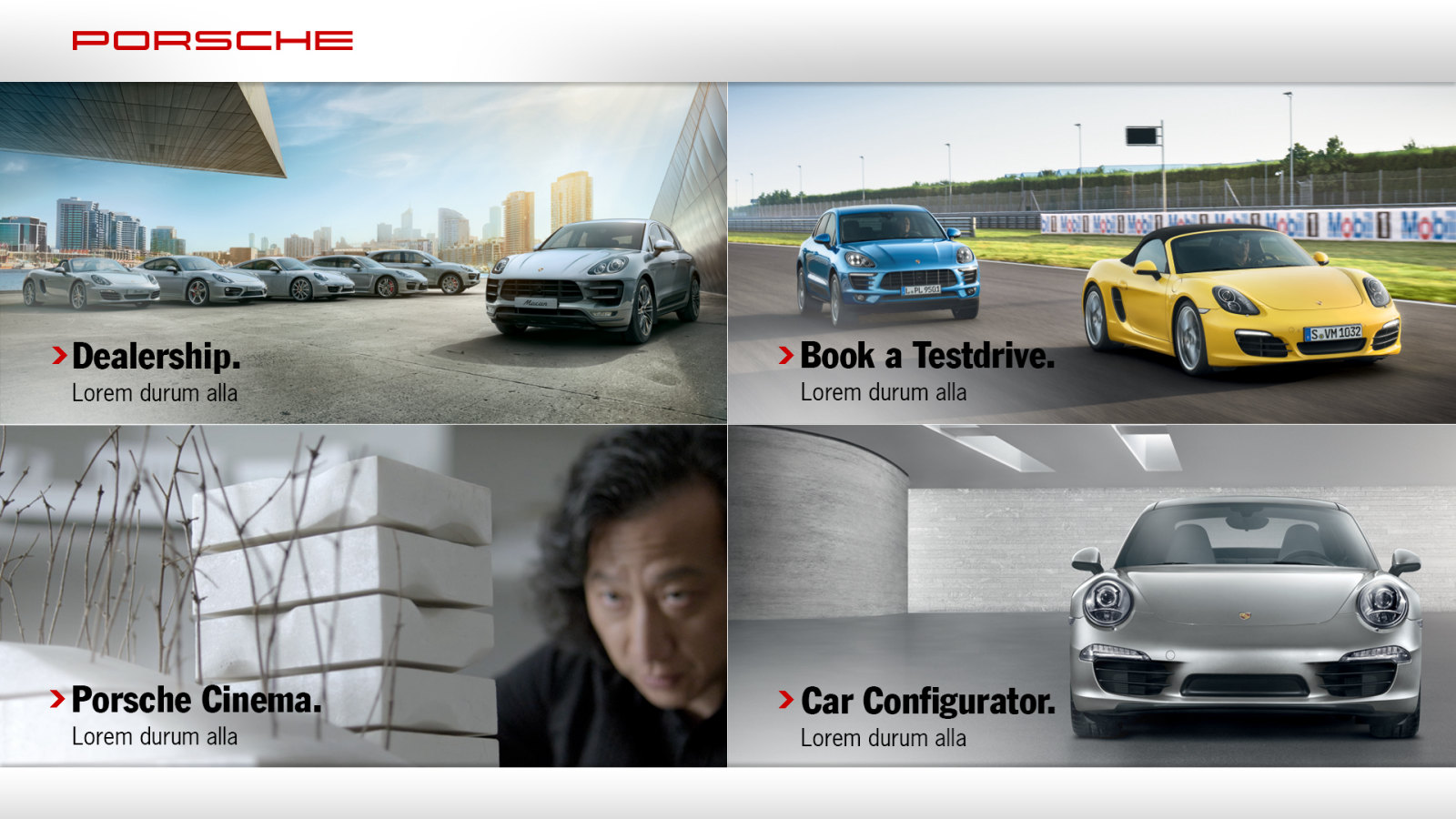
Porsche Customer Connect start screen with Dealership, Book a Test Drive, Porsche Cinema and Car Configurator

Overview

Showroom screen and phone

Porsche Customer Connect is an interactive screen for Porsche dealerships in China. Visitors can browse the dealership, book a test drive, watch Porsche films and configure a car, by hand, by gesture or from their own phone, and compare cars side by side.

4Sections,
on one screen
3Ways in: gesture,
touch and phone
3Steps to book
a test drive
3Cars compared
side by side

My Responsibilities

Lead designer

UX and UI for the screen, the phone remote and the comparison, from the first flows to the final screens.

Information architecture

The sitemap and the flows for booking, films and the configurator.

Interaction design

Motion, gesture, touch and phone, and when each one takes over.

Interface design

Every screen in the Porsche look, from the attract loop to the configurator.

Phone remote

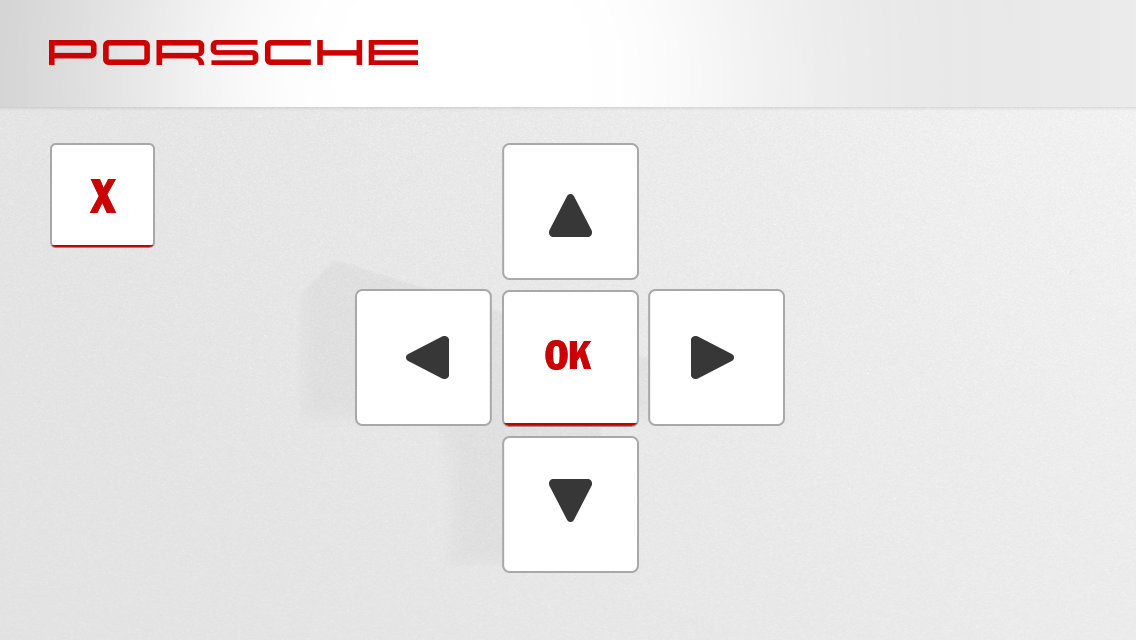
A QR code that turns the visitor’s phone into a remote with arrows, OK and a keyboard.

Decision Helper

Cars added from the showroom floor and compared on the big screen.

Showroom link

The spotlight that lights up the car chosen on the screen.

How it works

Interaction design

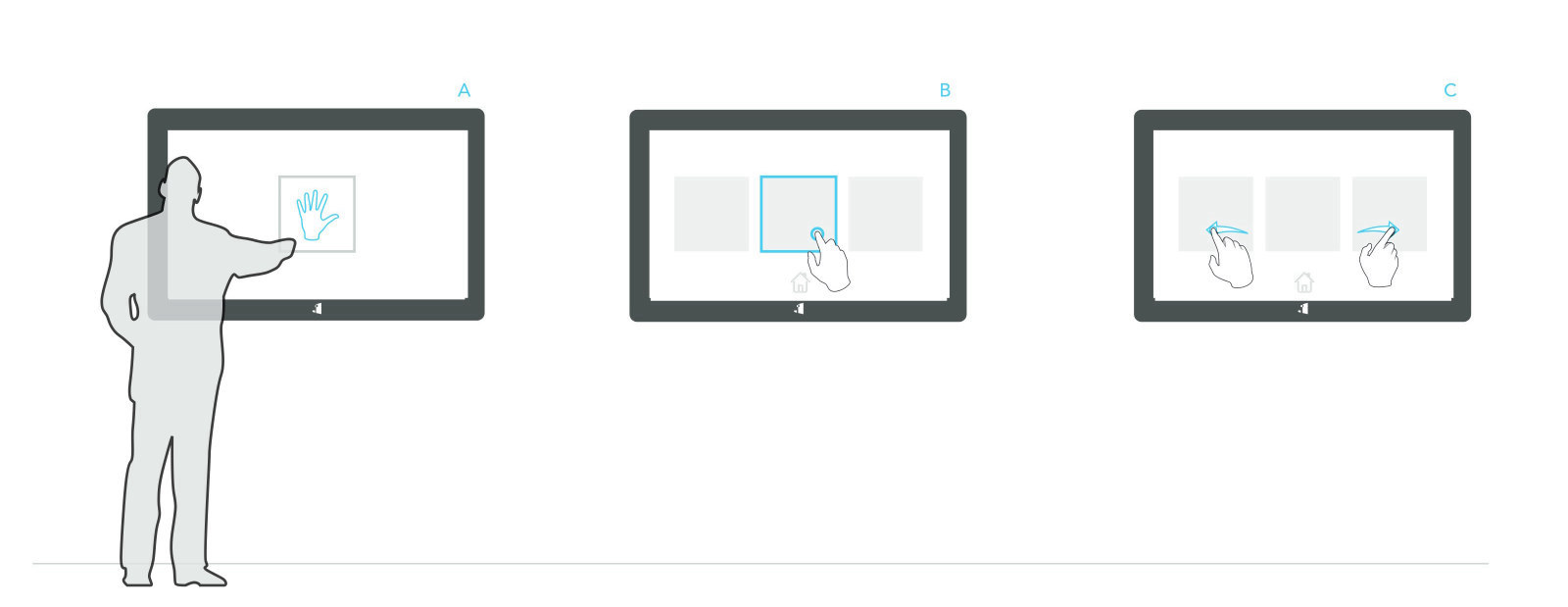
The screen had to work for someone walking past, someone standing in front of it and someone who would rather not touch a public screen. Each way in leads to the same content.
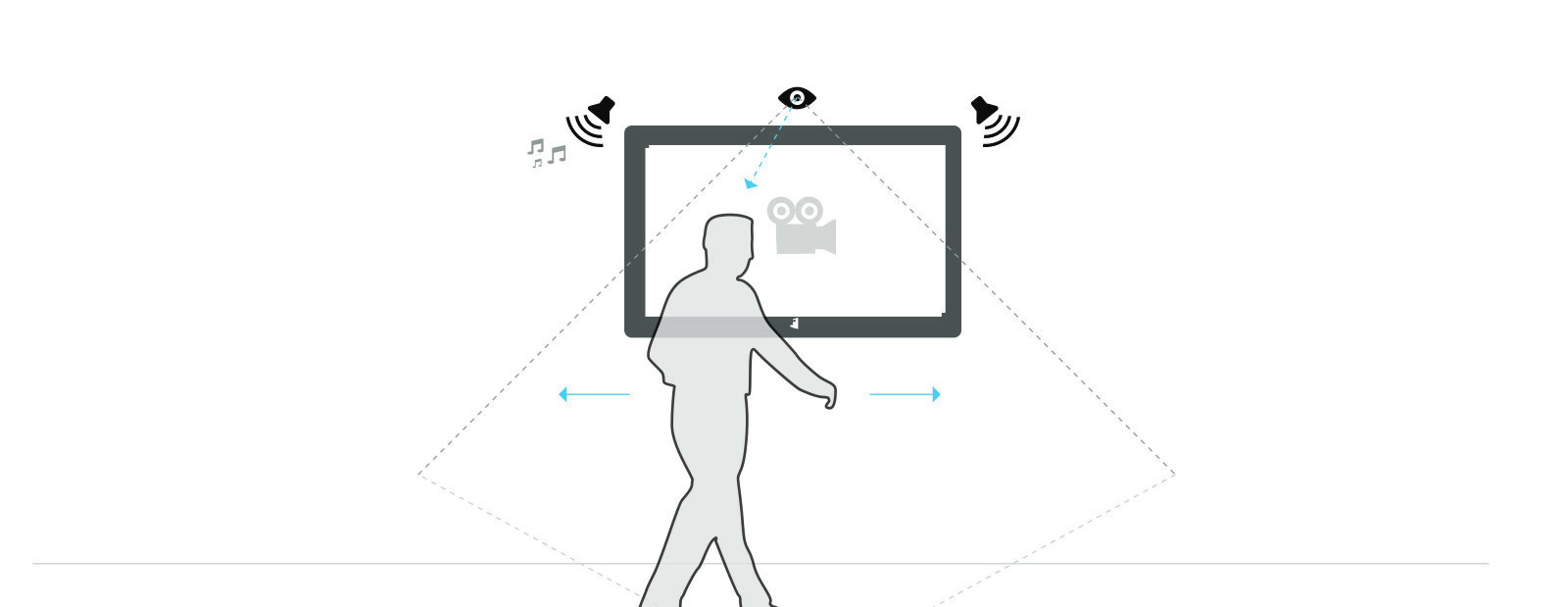
Drawing: a person walks past and the screen wakes

Motion: the screen wakes when someone walks past
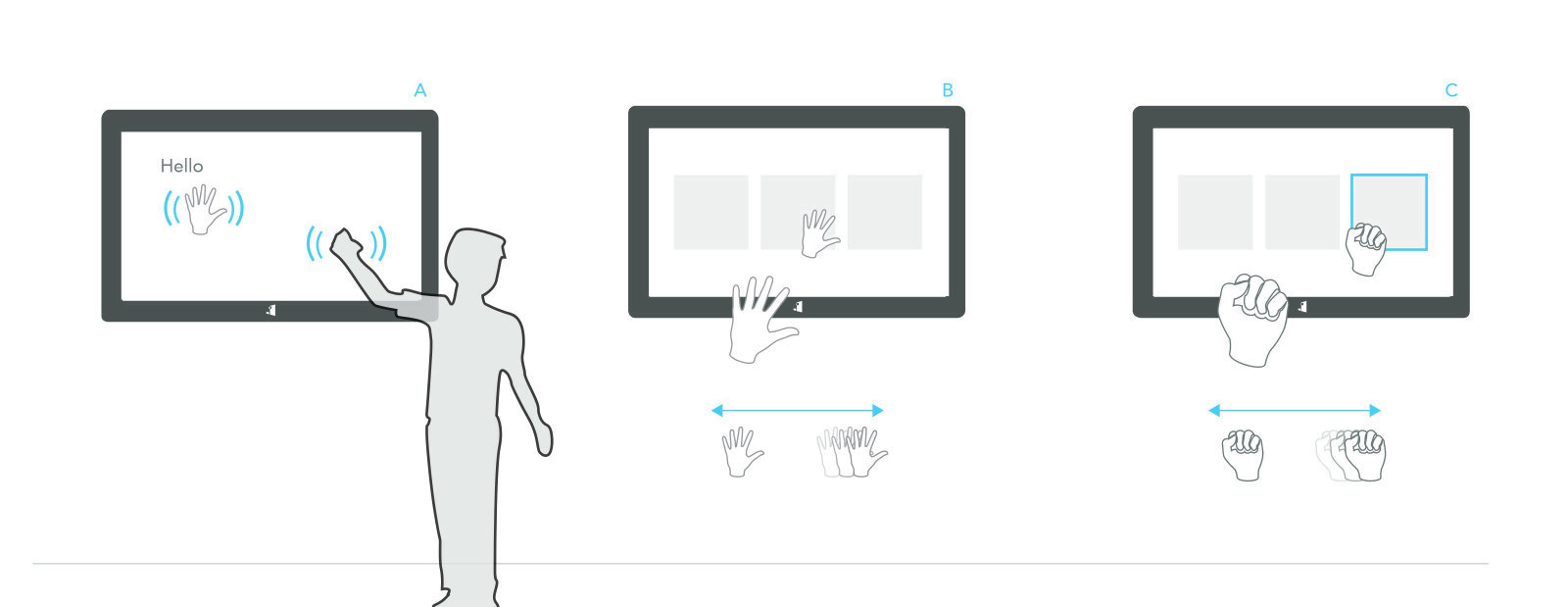
Drawing: wave to start, point to aim, grab to select
Gesture: wave to start, point to aim, grab to select

Drawing: tap to select and swipe between sections

Touch: tap to select, swipe to move between sections
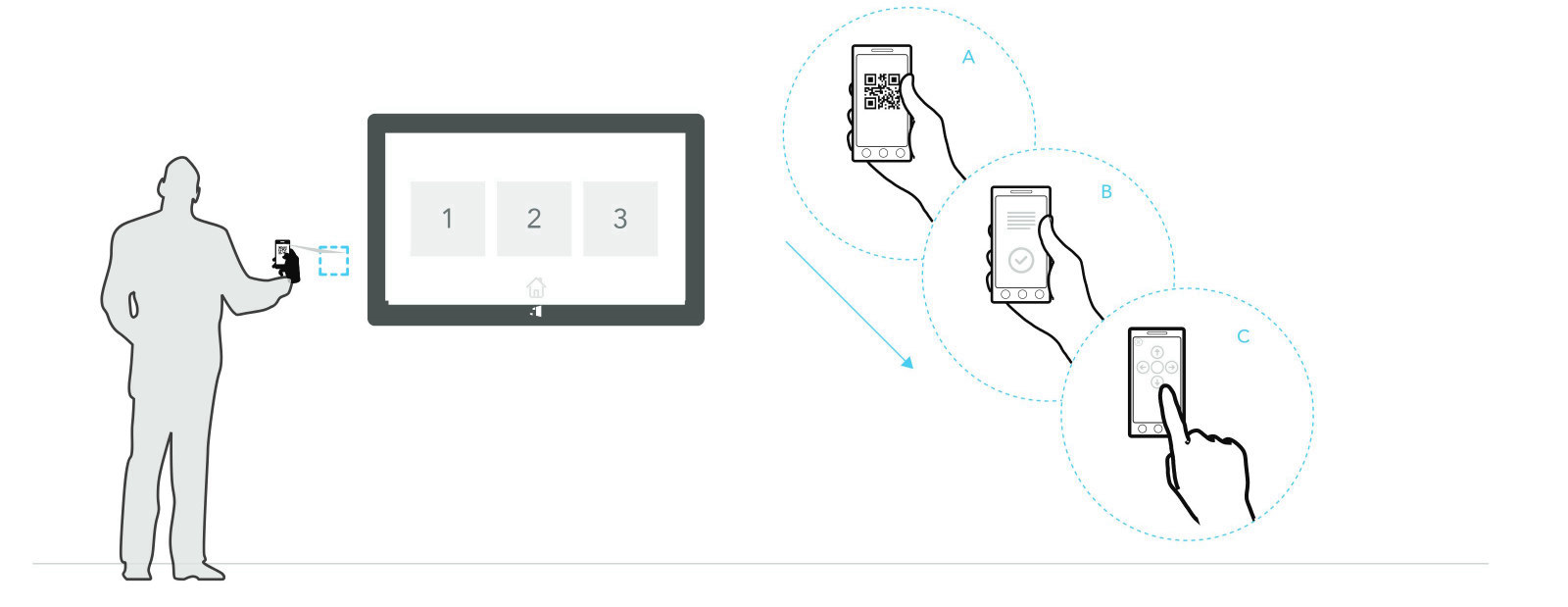
Drawing: scanning the QR code turns the phone into a remote

Phone as remote: scan the code and steer from your phone
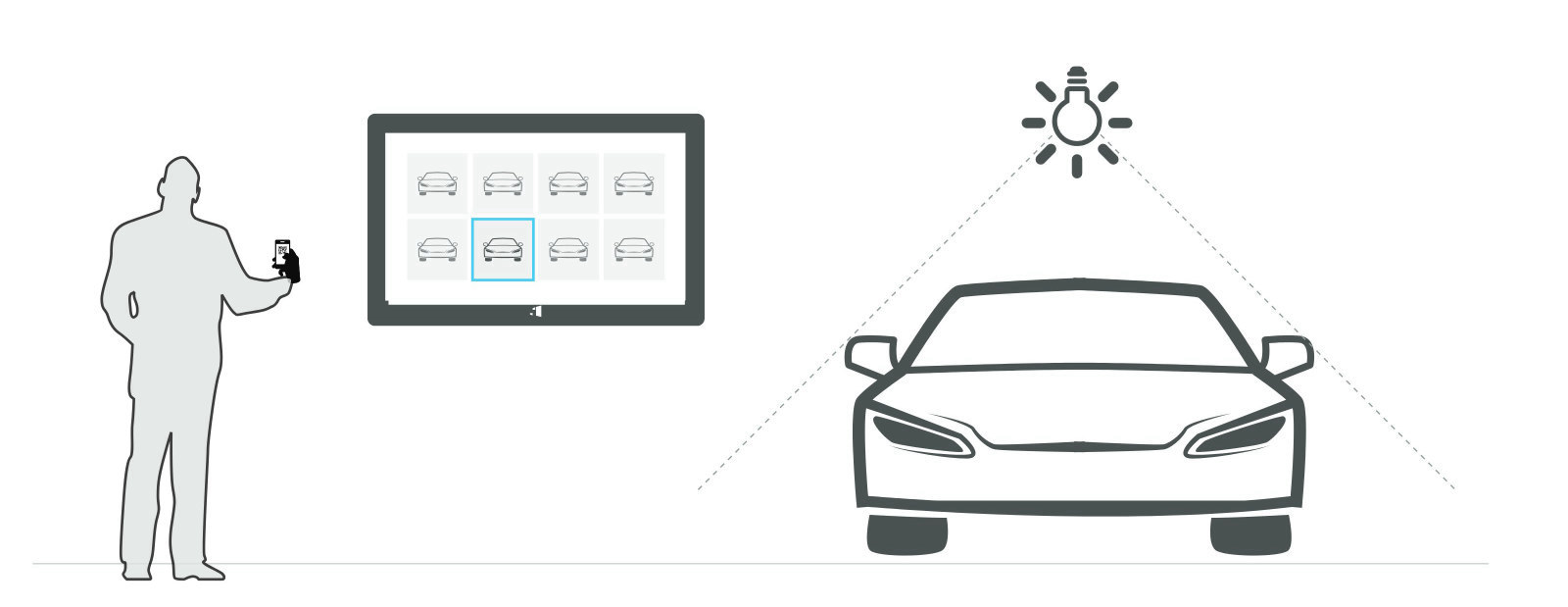
Drawing: the car chosen on screen lights up in the showroom
Spotlight: the car chosen on screen lights up in the showroom

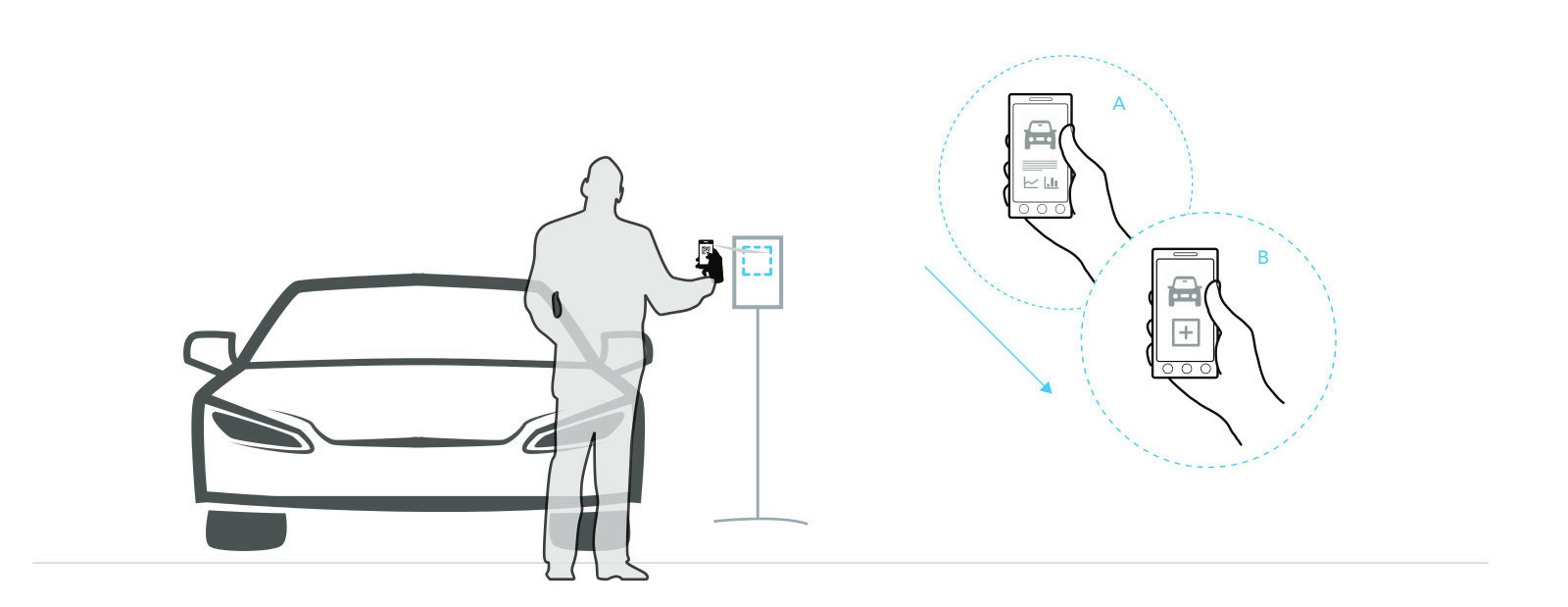
Drawing: scanning the code next to a car adds it to the comparison

Add to compare: scan the code next to a car

Sitemap

Interactive screen

Four sections under one attract loop. Every path ends back on the start screen, so the next visitor always finds it ready.

Storystream  ·  the attract loop
Dealership
  • About the dealership
Book a Test Drive
  • Vehicle list
  • Model
  • Form
  • Thank you
Porsche Cinema
  • Video list
  • Playback
Car Configurator
  • Vehicle list
  • Model
  • Configurator

The screen

Final design

Light grey surfaces, Porsche red for every action and a condensed headline with a red chevron. The top bar carries the wordmark, the bottom bar back and home, so no visitor is ever lost.
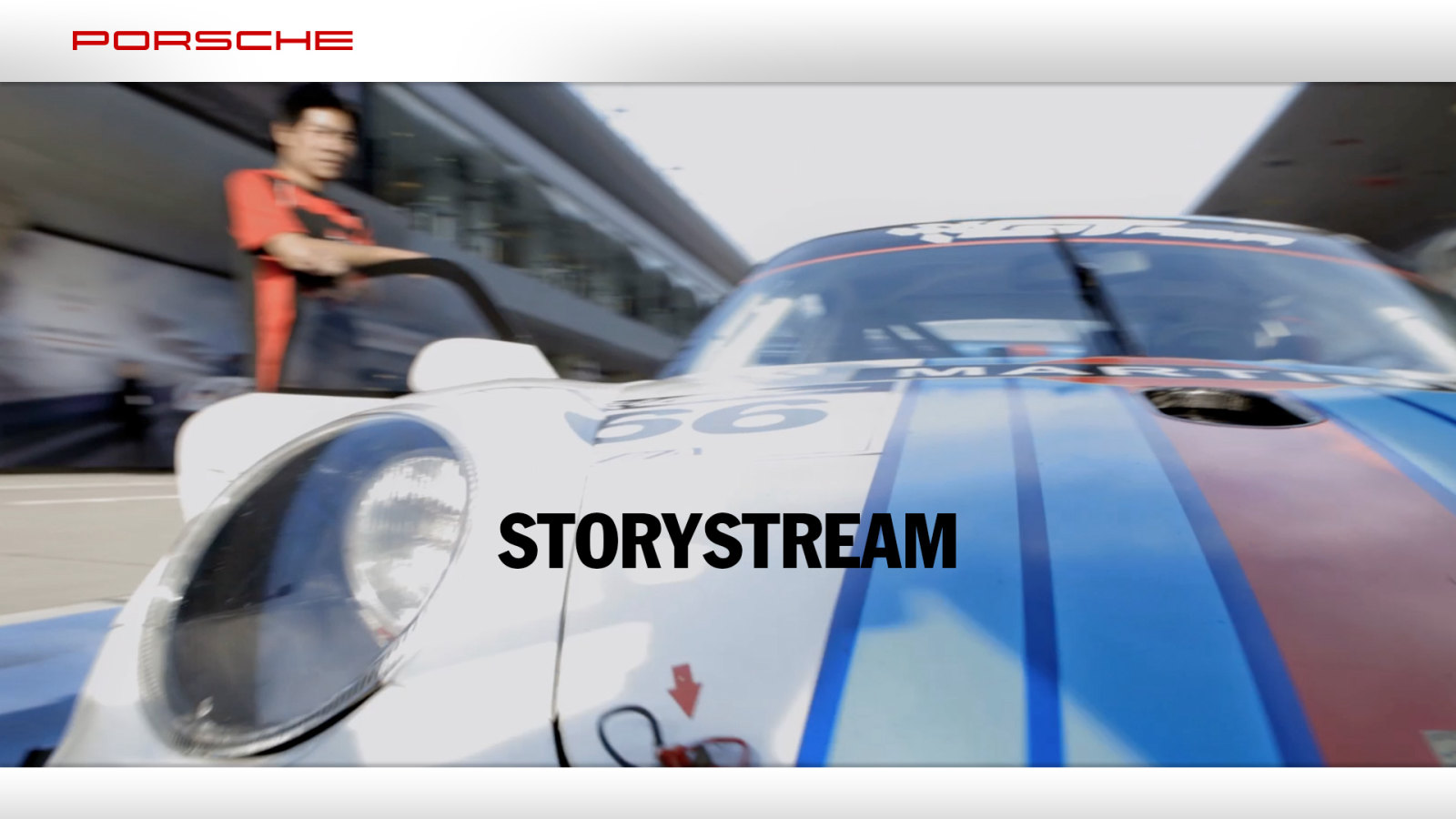
Storystream, the attract loop that plays when nobody is using the screen
Storystream, the attract loop

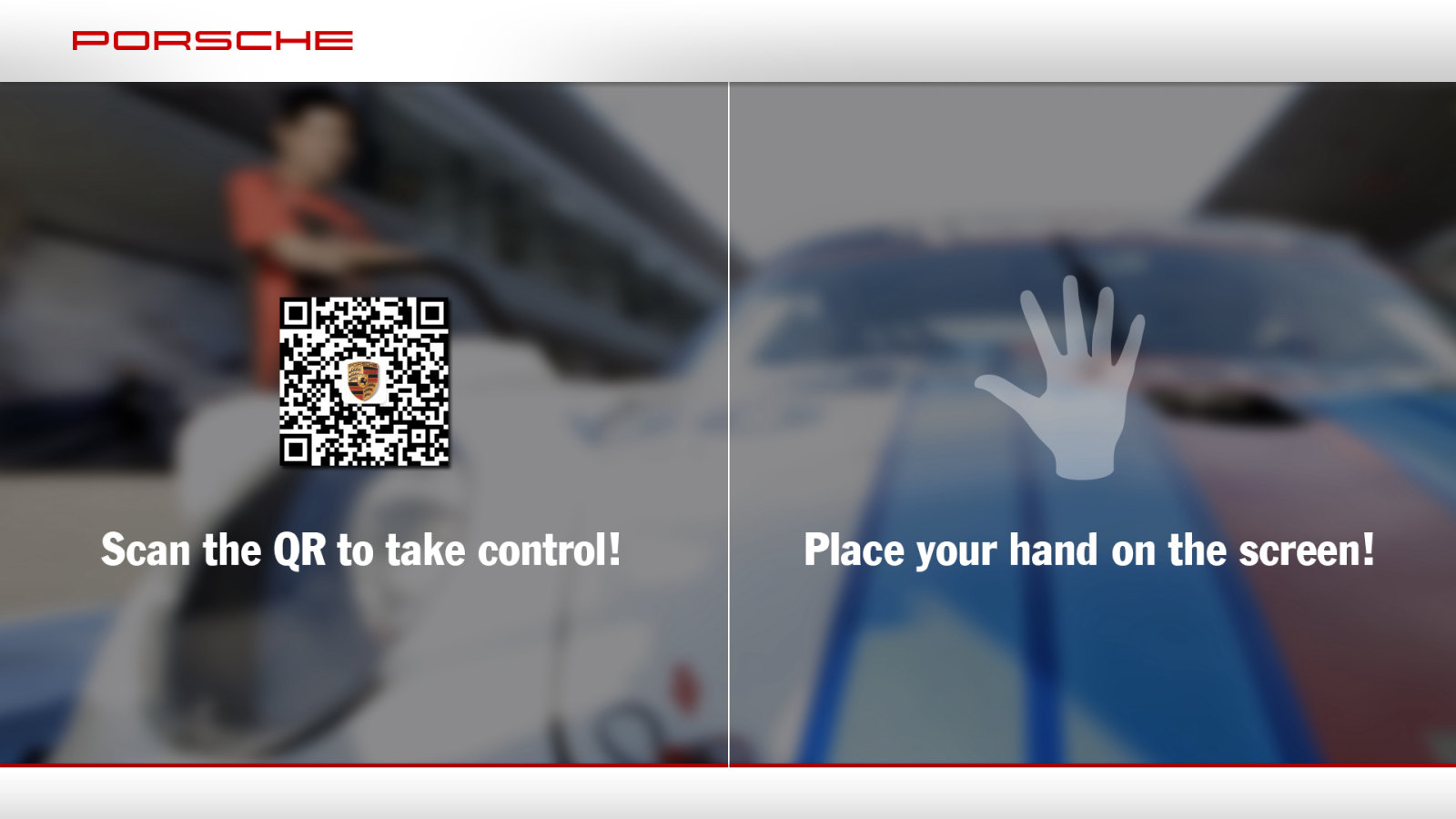
Screen inviting the visitor to scan the QR code or place a hand on the screen

Scan the code or touch the screen

Start screen with four sections
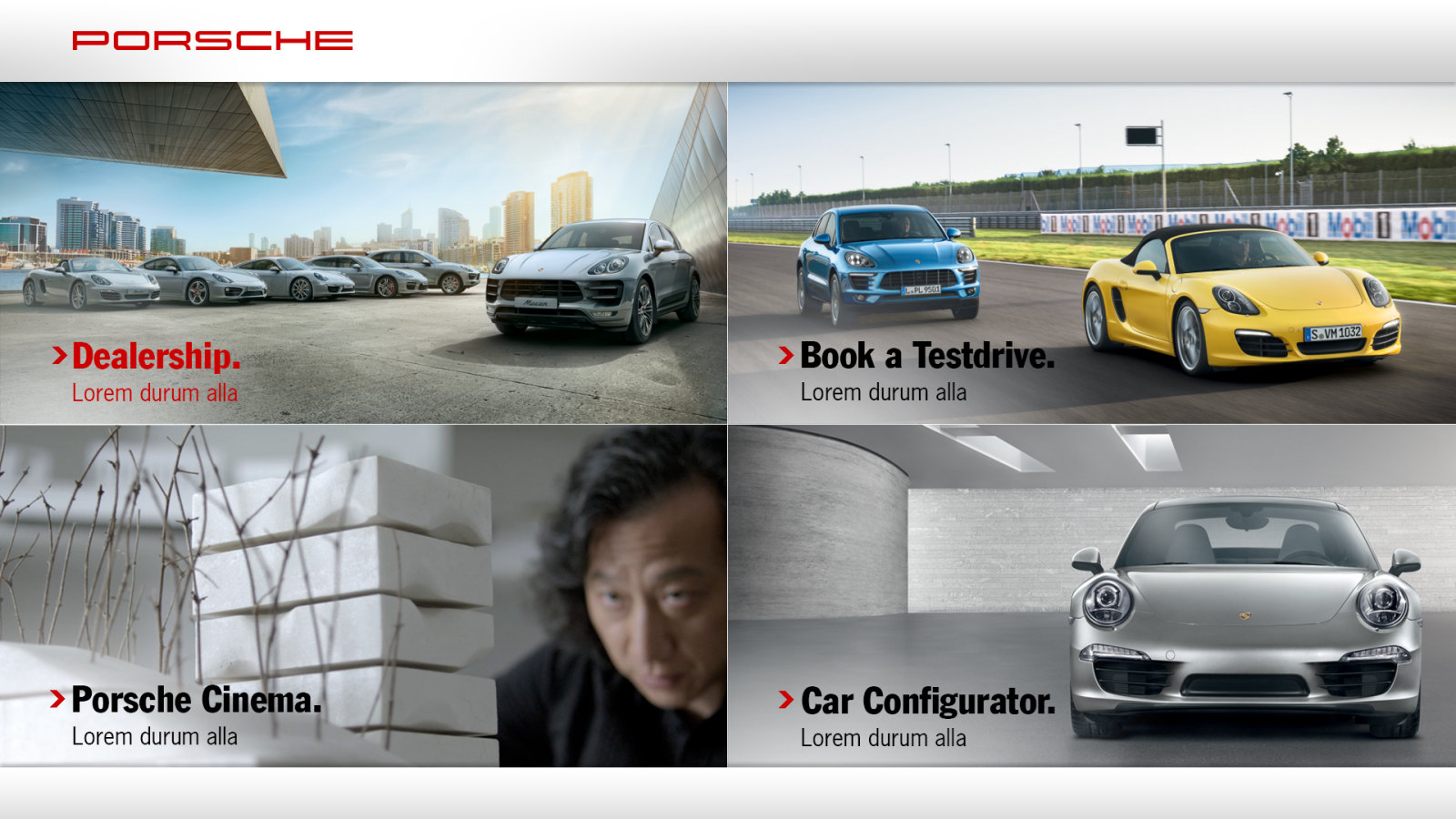
Start screen

Start screen with the Dealership section chosen

Start screen, a section chosen

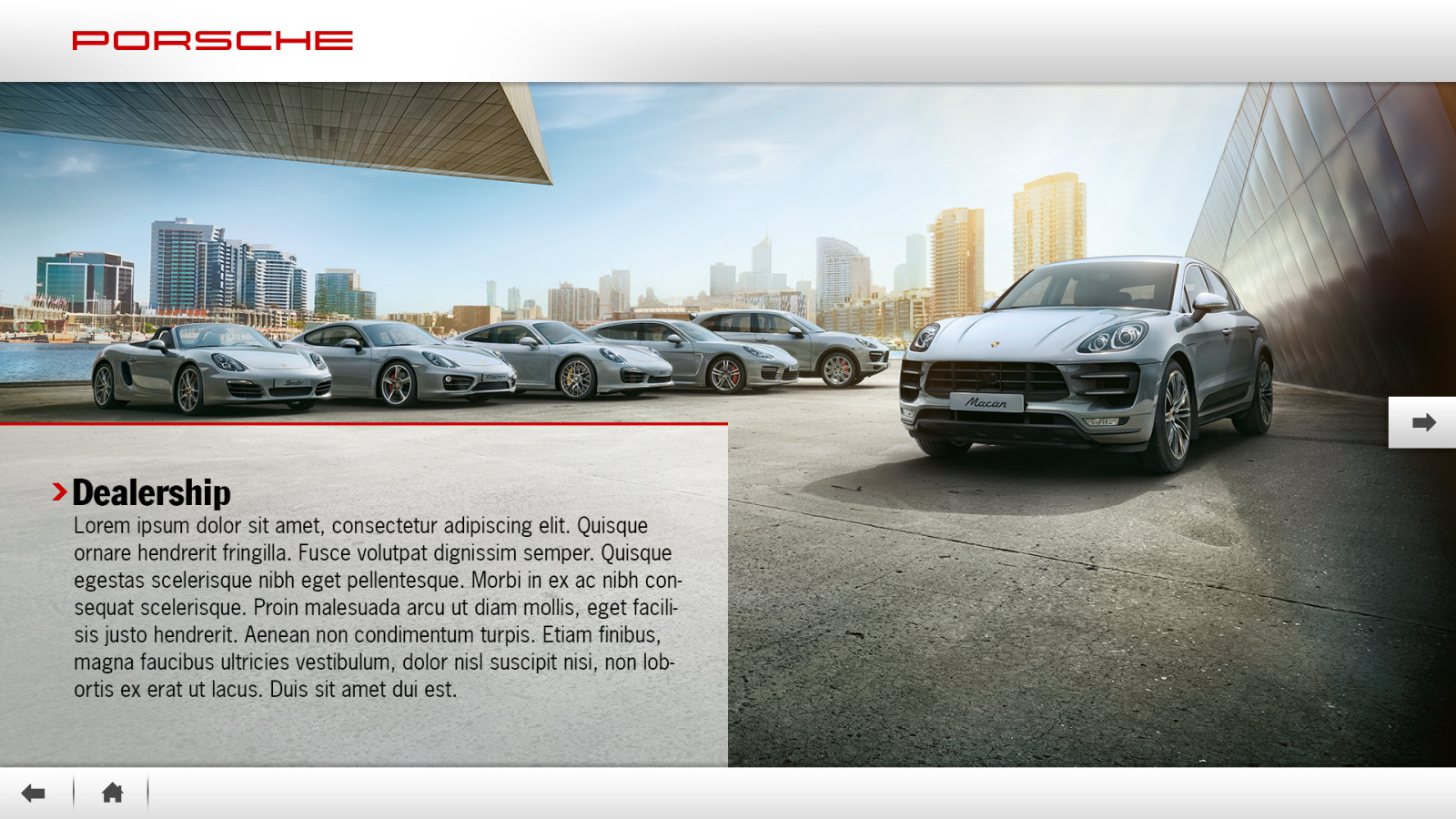
Dealership screen
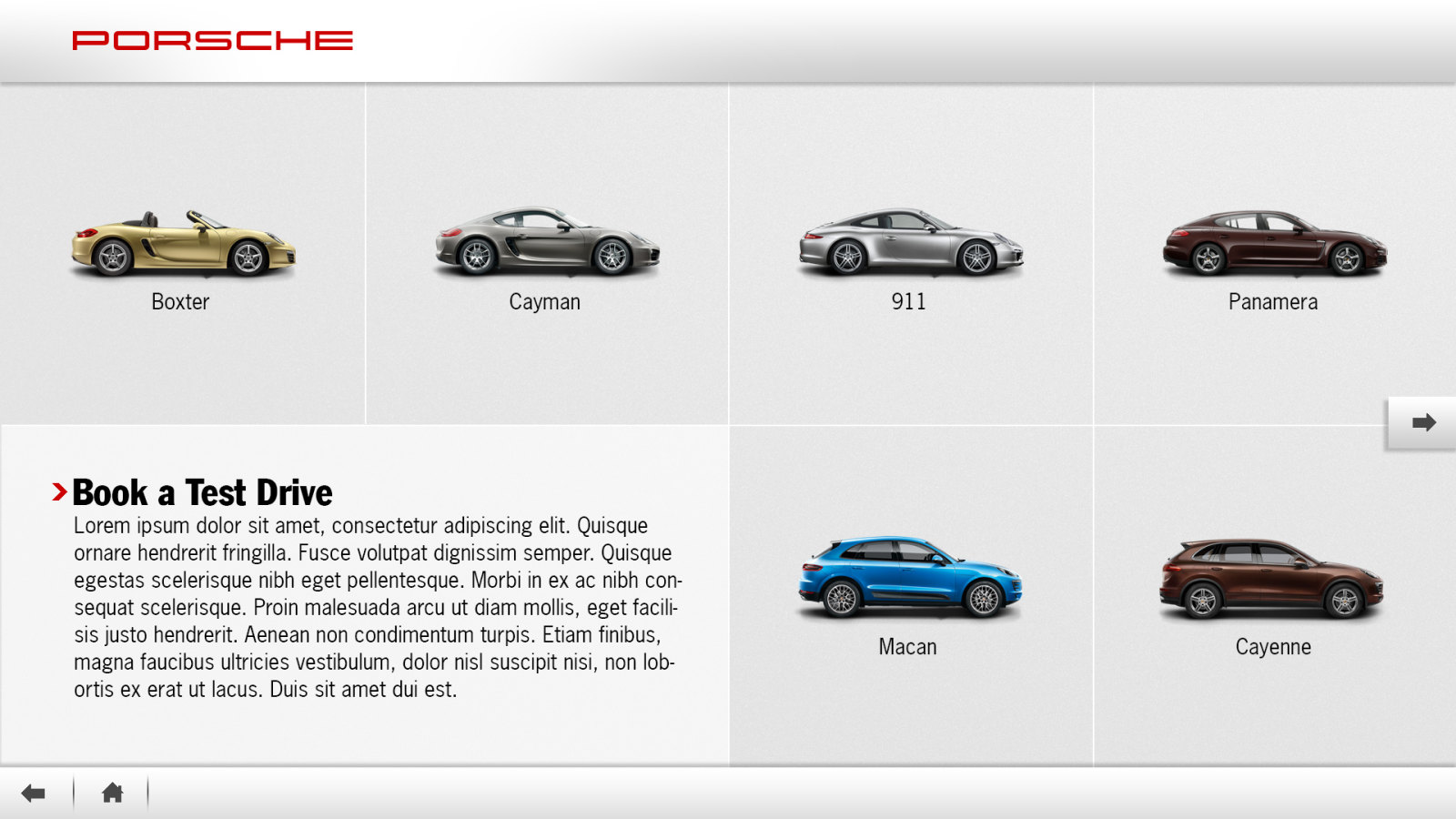
Dealership

Book a Test Drive, the list of models

Book a Test Drive, vehicle list

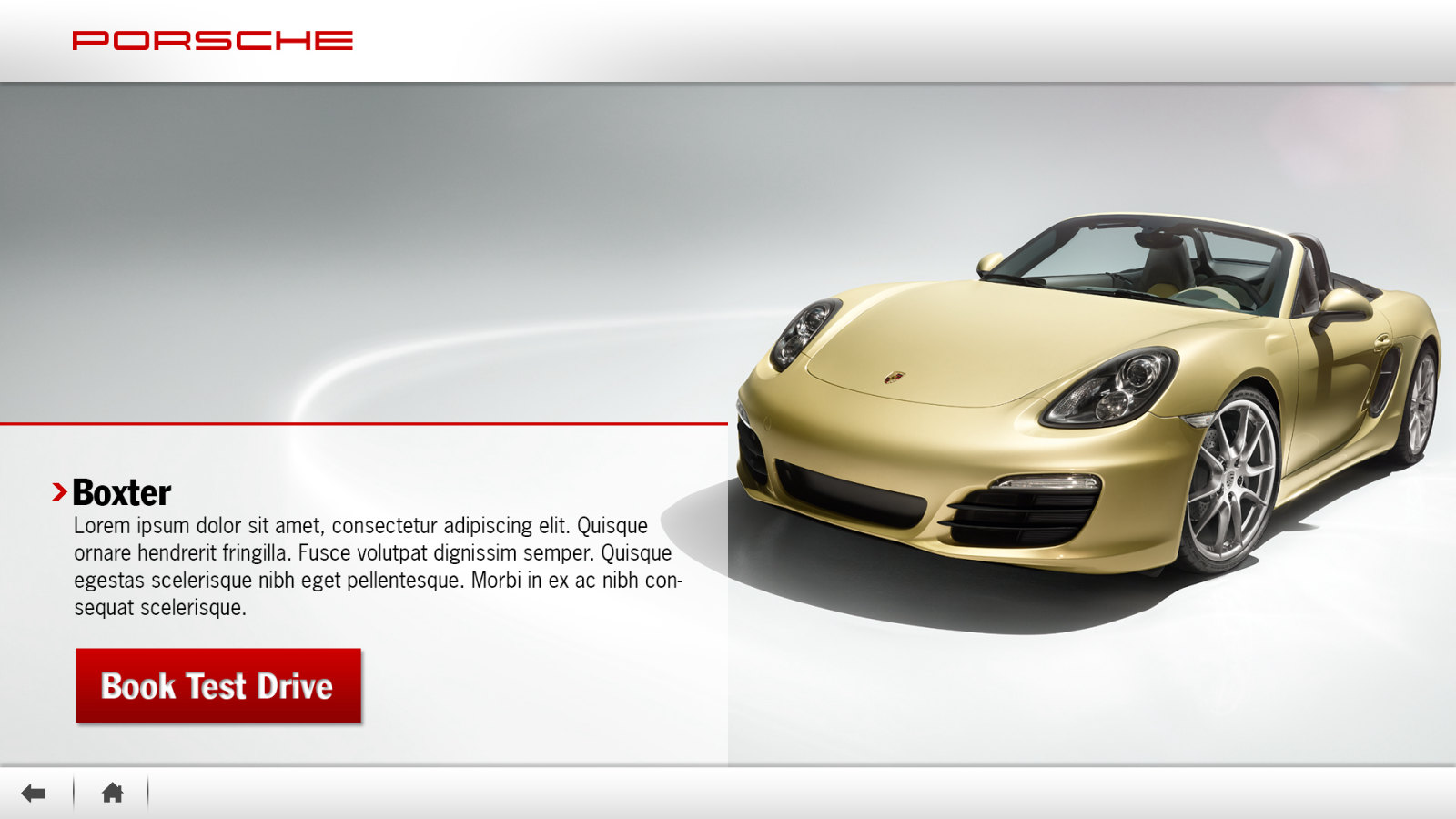
Book a Test Drive, the Boxster model page

Book a Test Drive, the model

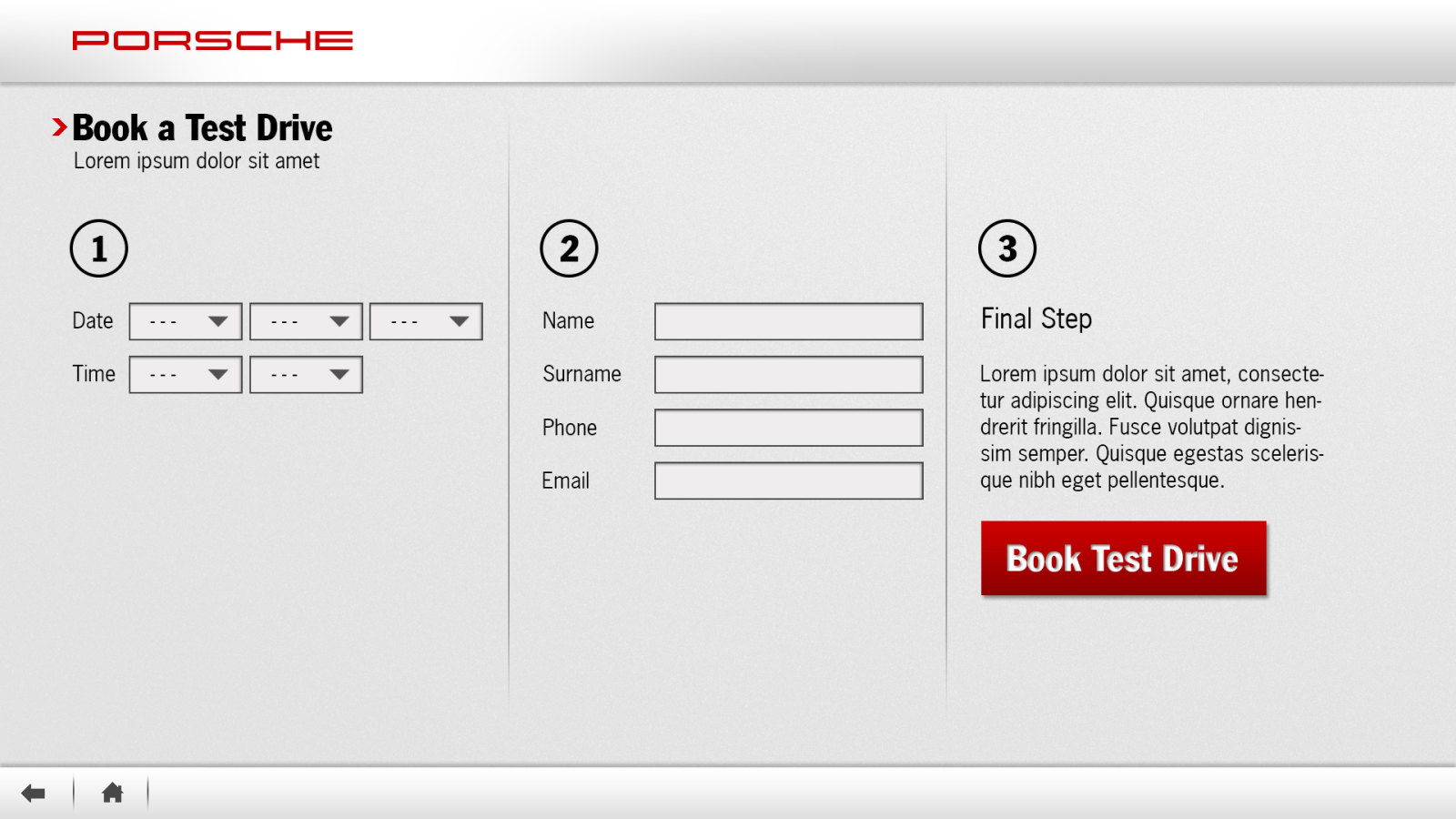
Book a Test Drive form in three steps

Book a Test Drive, three steps

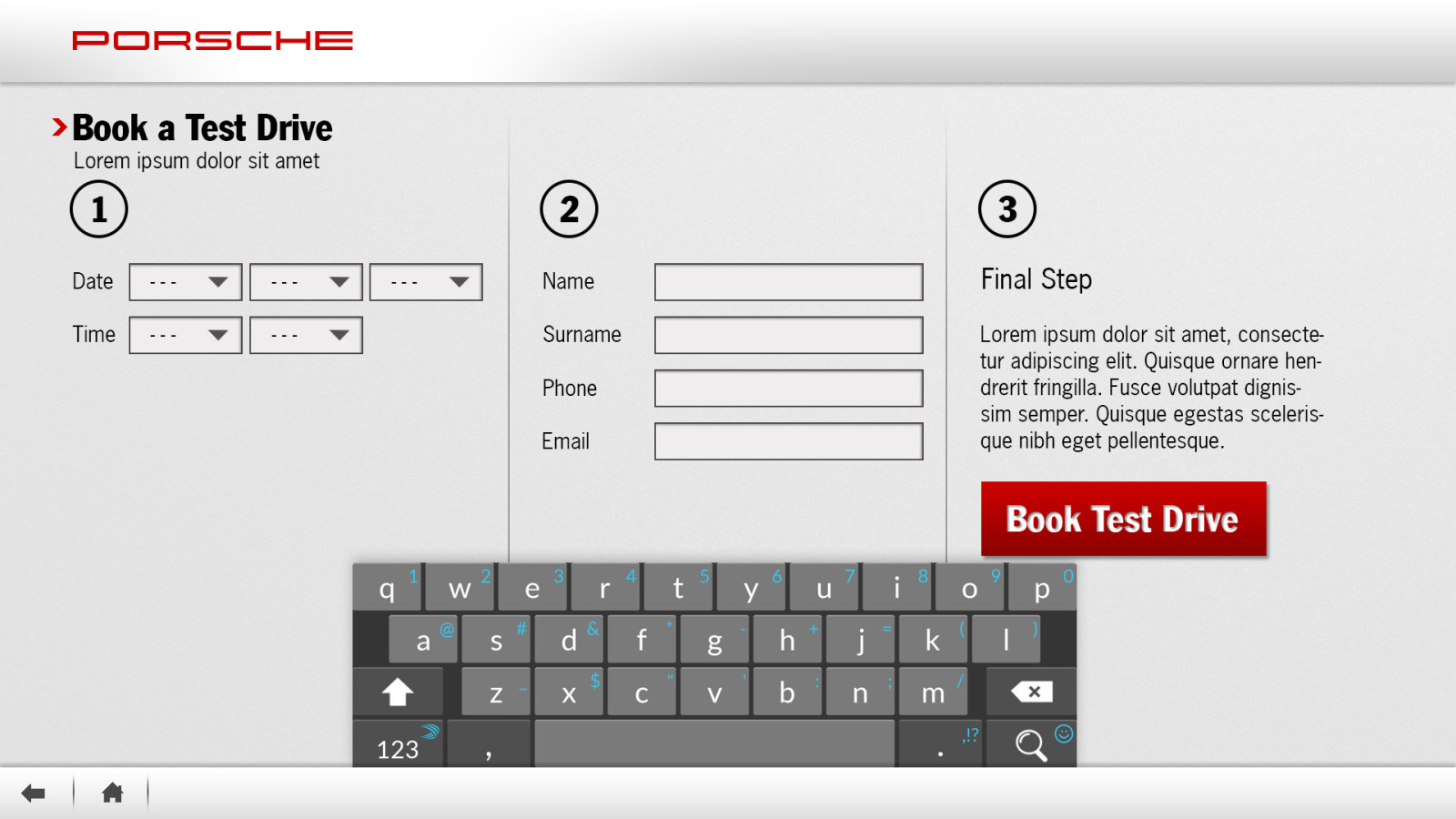
The test drive form with the on-screen keyboard

The form, with the on-screen keyboard
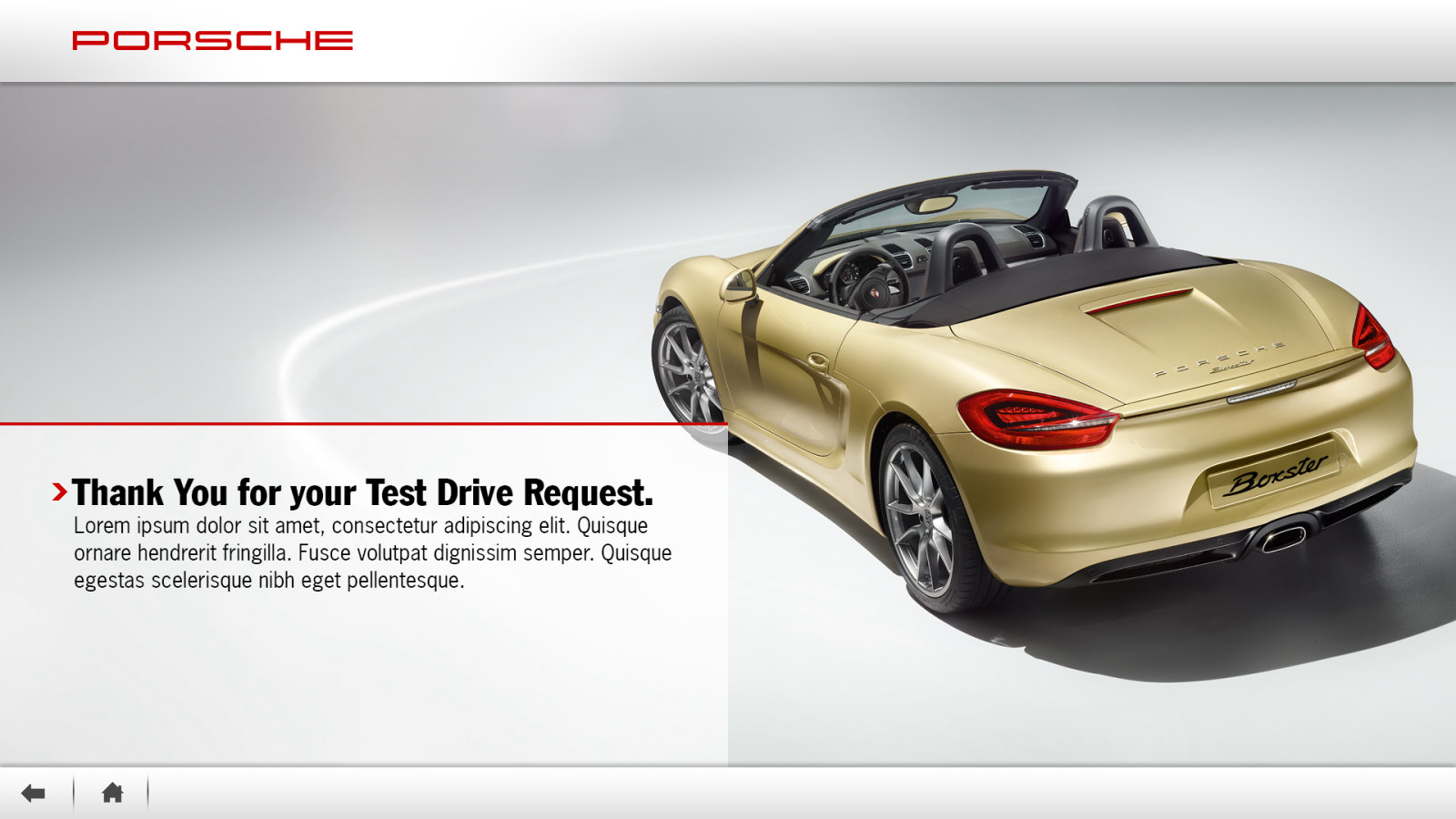
Thank you screen after a test drive request
Thank you

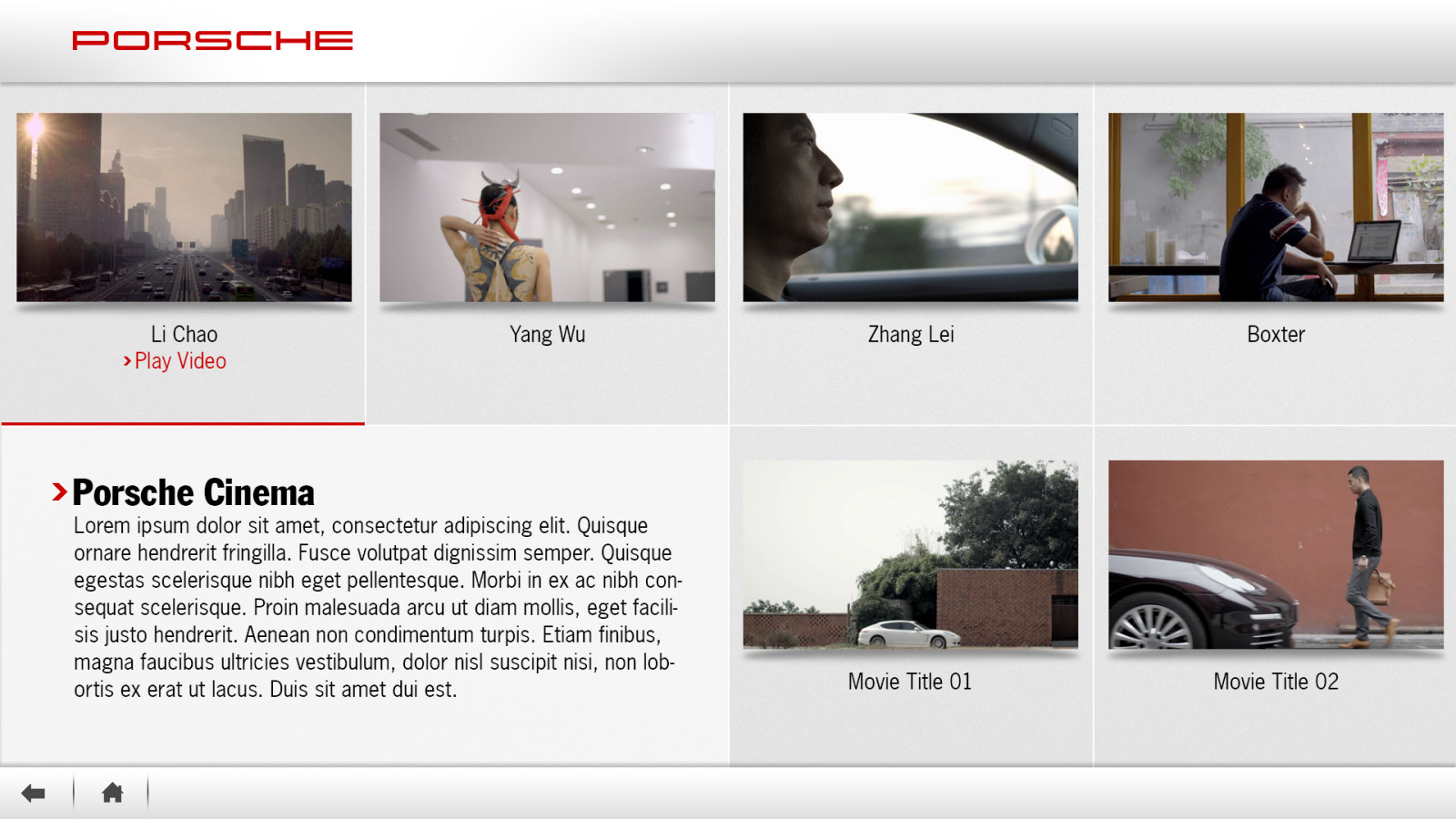
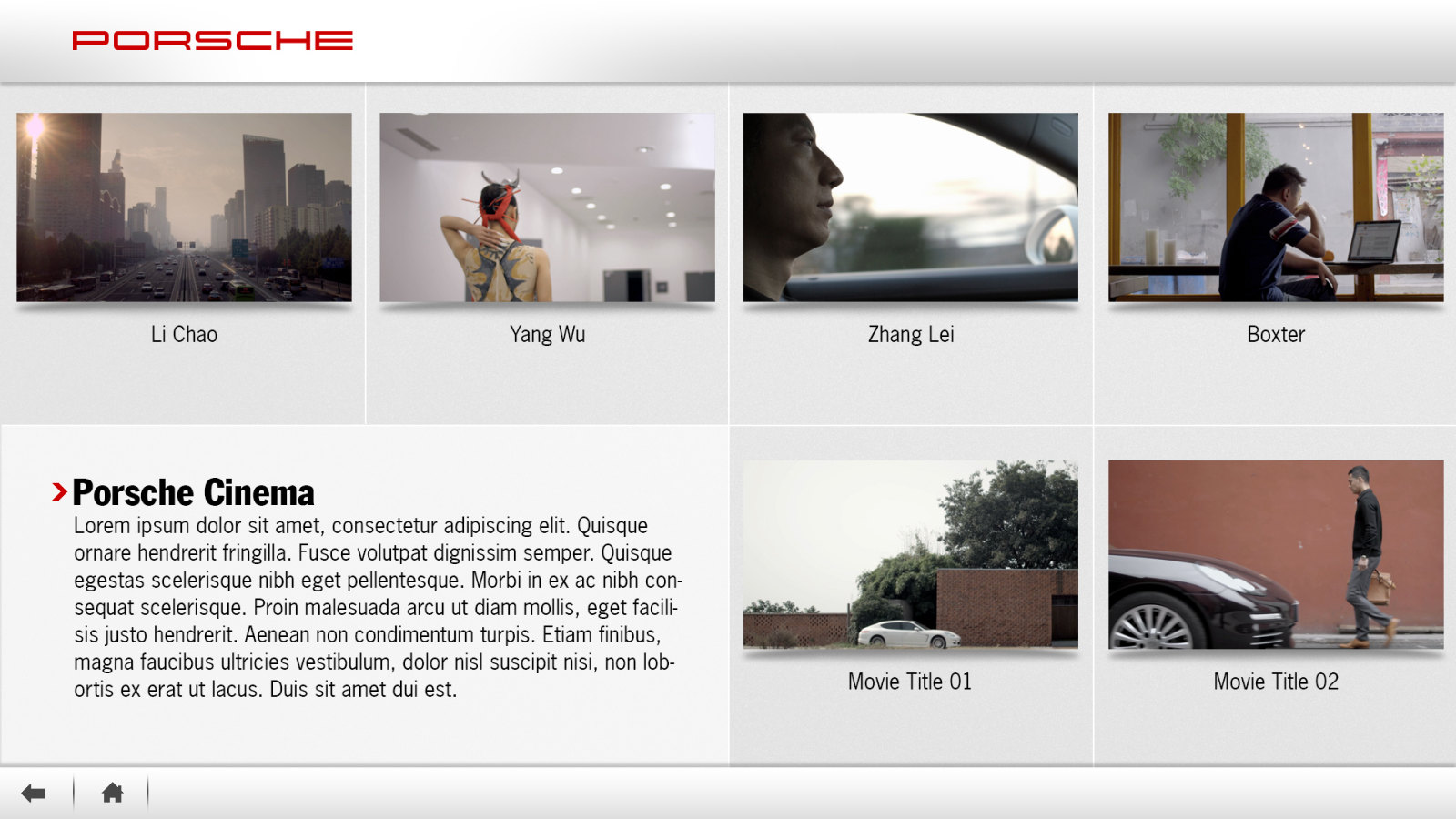
Porsche Cinema, the list of films

Porsche Cinema, video list

Porsche Cinema with a film chosen

Porsche Cinema, a film chosen

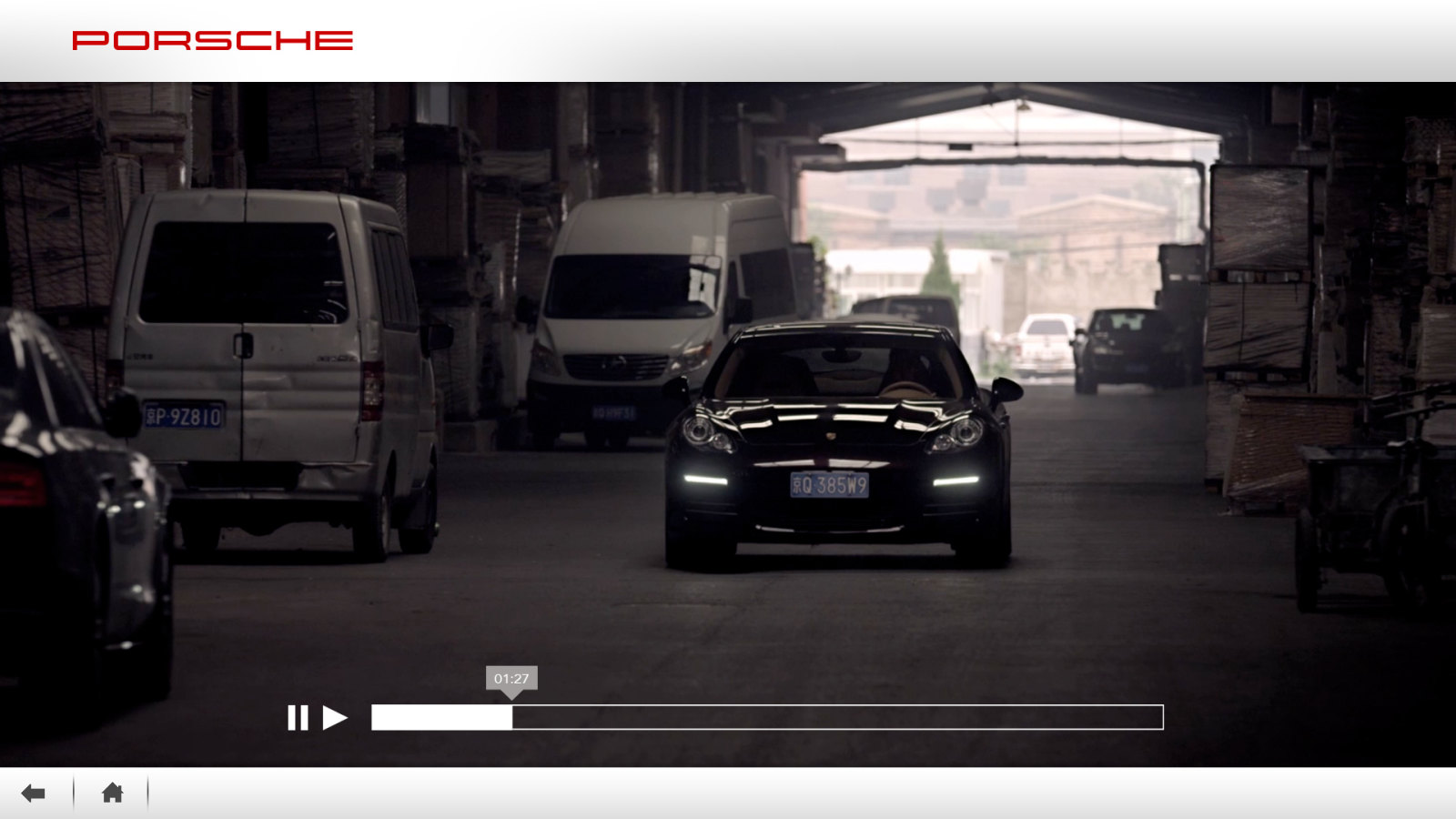
Porsche Cinema playback

Porsche Cinema, playback

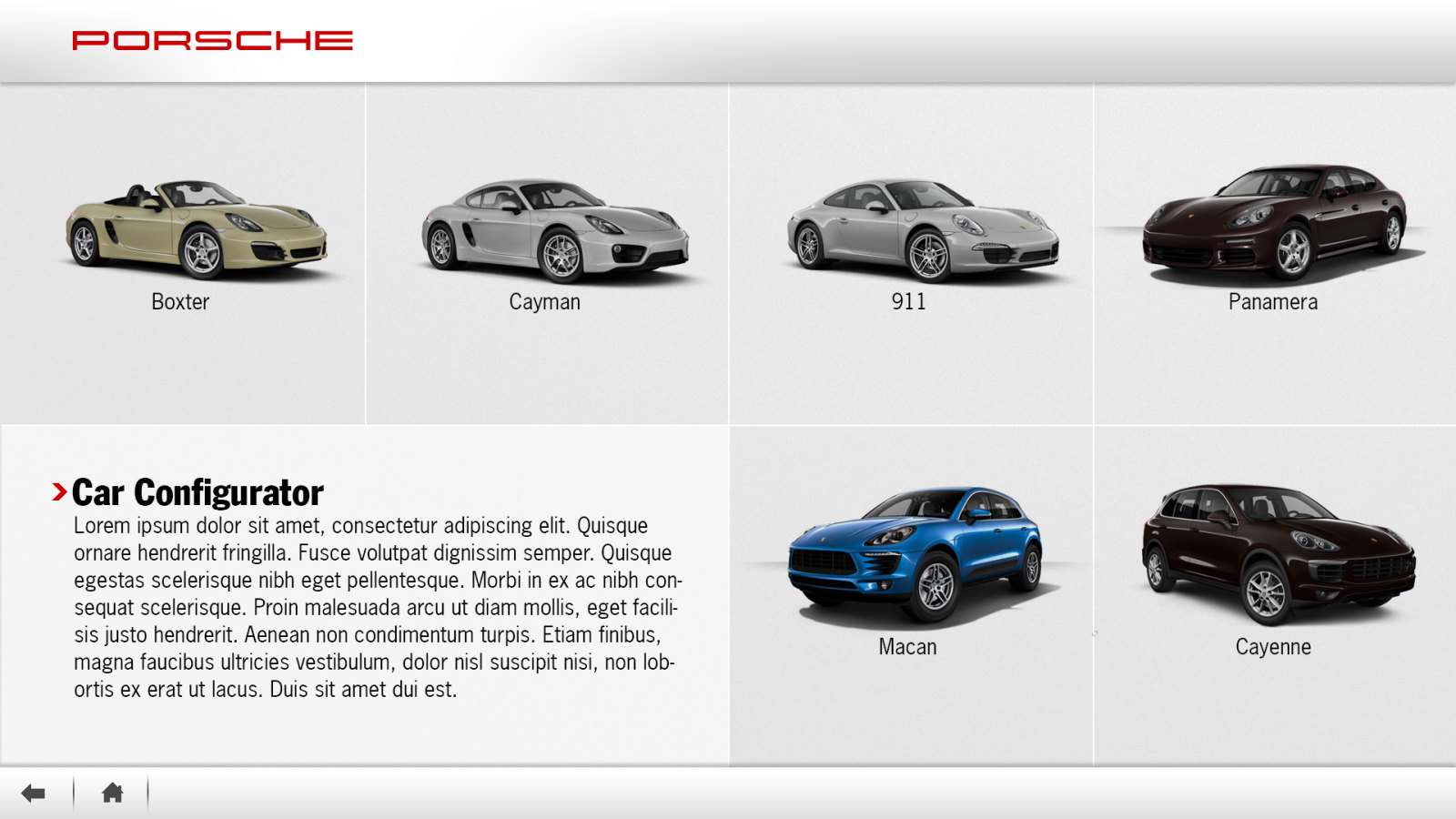
Car Configurator, the list of models

Car Configurator, vehicle list

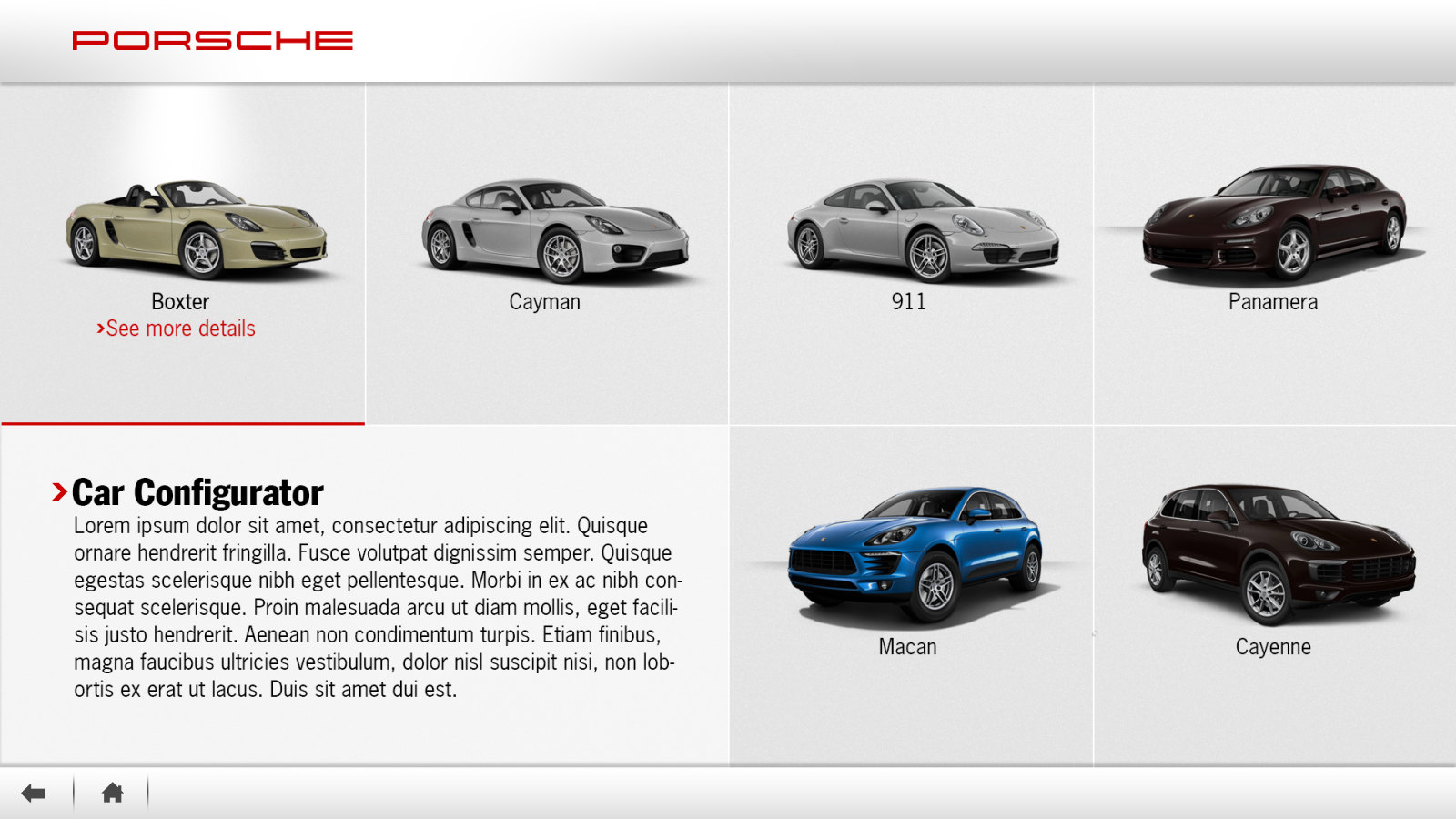
Car Configurator with a model chosen

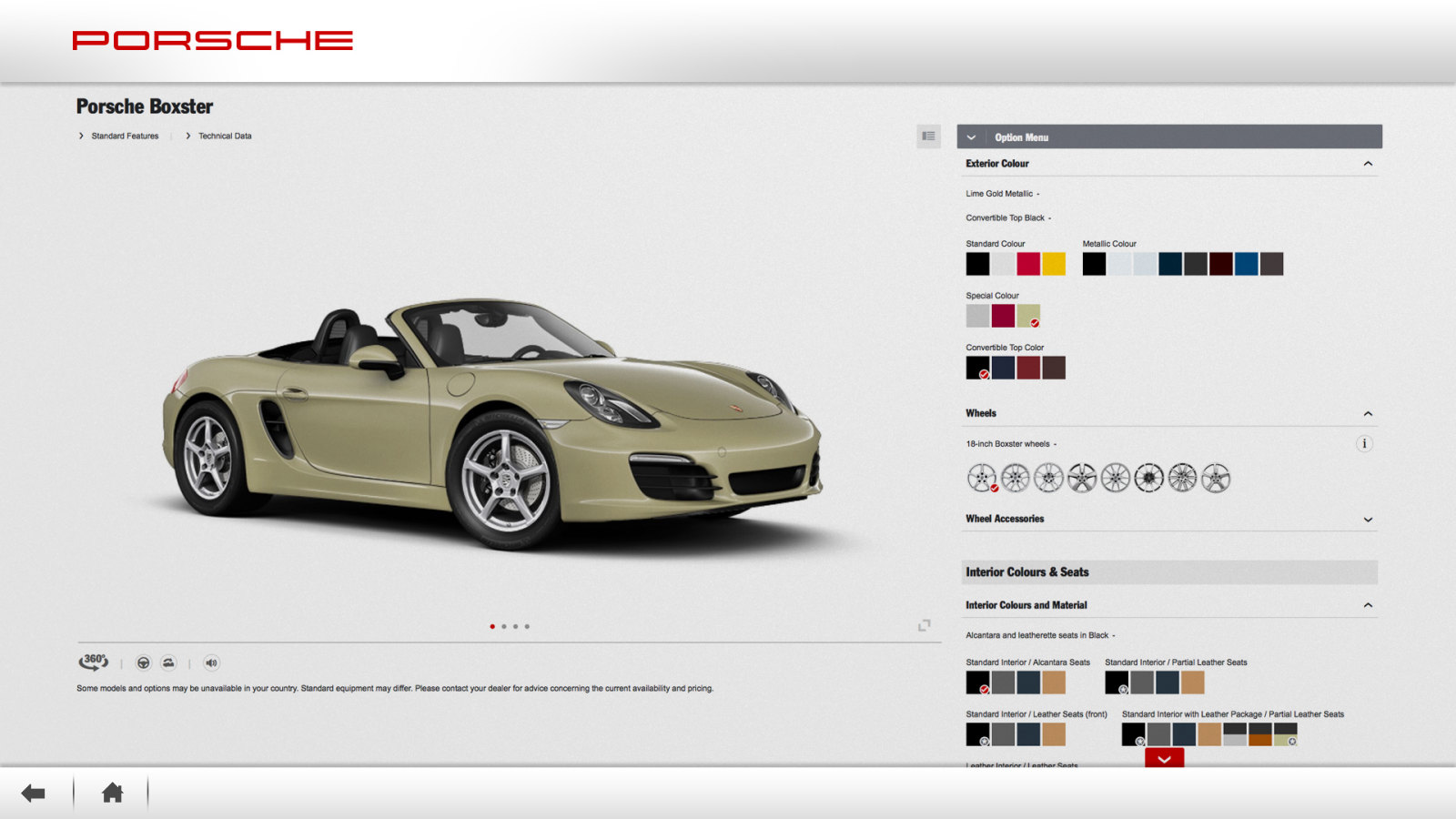
Car Configurator, a model chosen

The car configurator with colors, wheels and interior options

Car Configurator

Phone as remote

Smartphone remote control

Scanning the code on the screen opens a remote in the phone’s browser, no app to install. Arrows, OK and a close button, turned sideways for films, with the phone’s own keyboard for the test drive form.
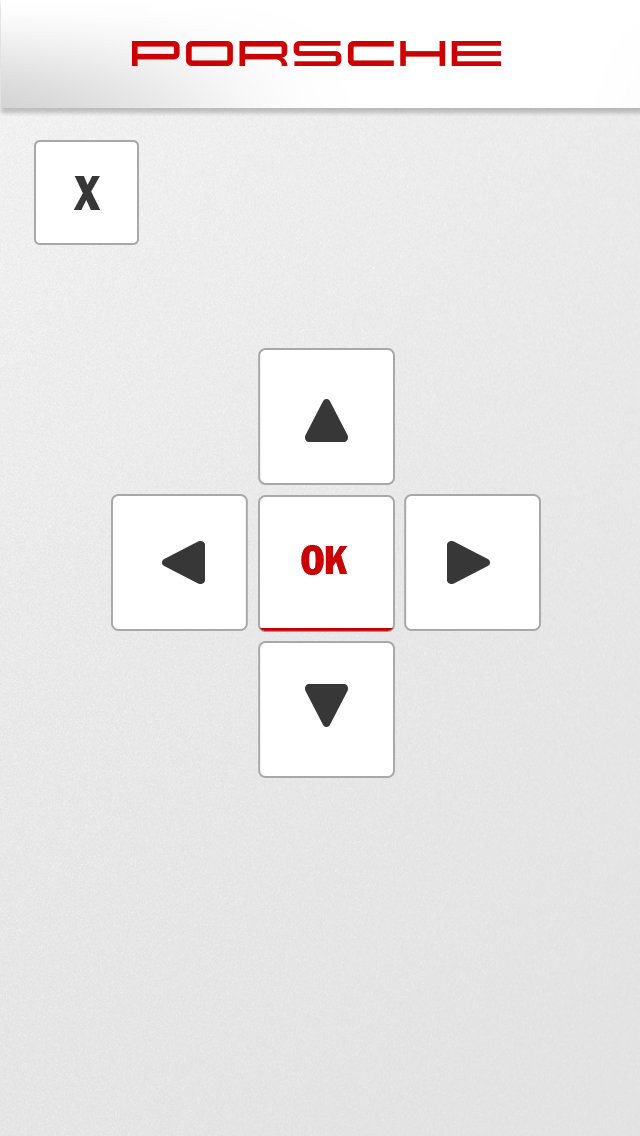
Phone remote, upright, with arrows, OK and close

Remote, upright

Phone remote, turned sideways

Remote, sideways

The screen showing the QR code to scan

Scan the code or touch the screen

Decision Helper

Compare side by side

Cars added from the showroom floor line up on the big screen with power, acceleration, top speed, fuel consumption and price, and a configurator and a test drive one tap away.
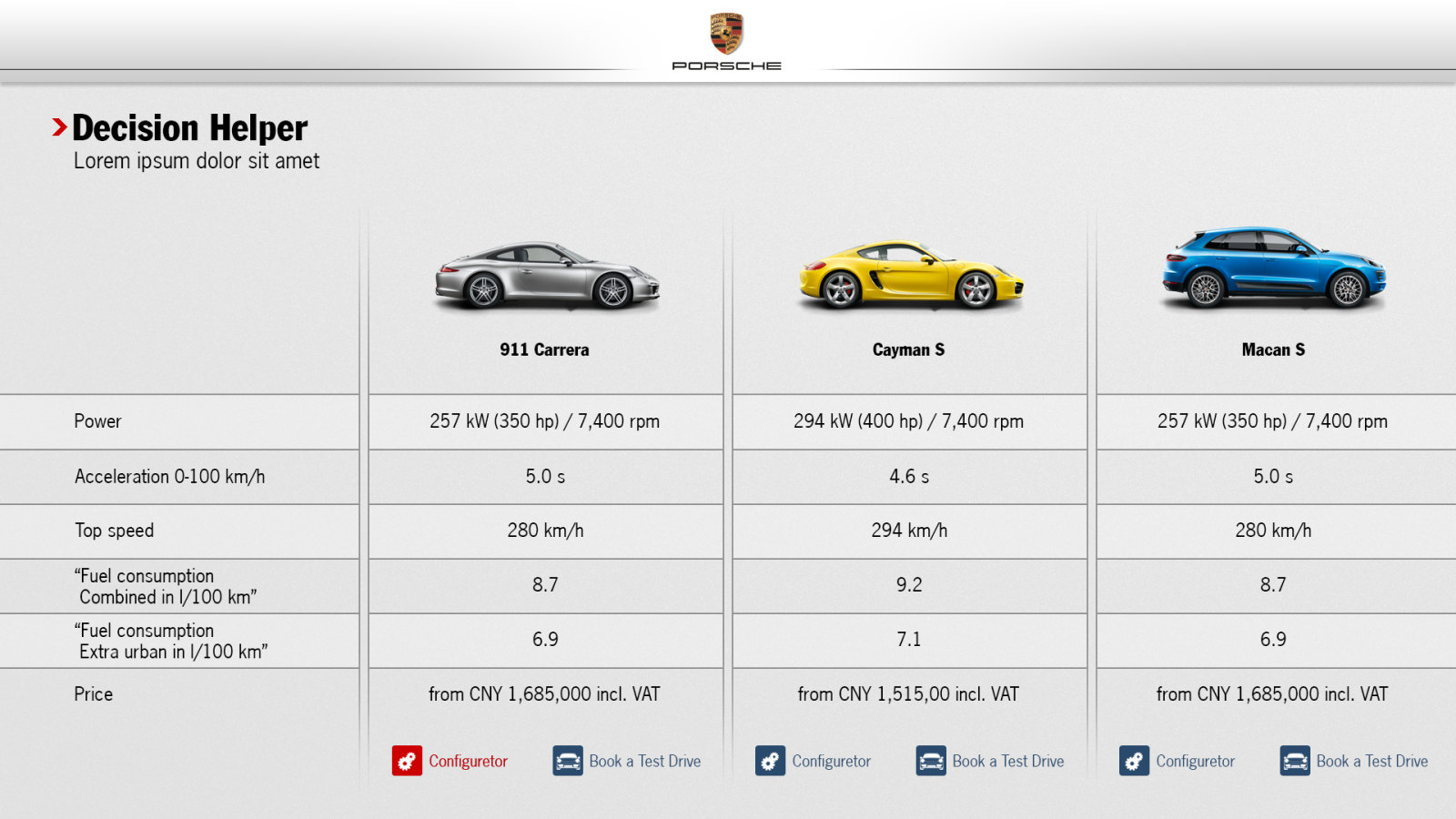
Decision Helper comparing the 911 Carrera, Cayman S and Macan S side by side

Decision Helper on the showroom screen
What Porsche gained

Outcomes of the work

A showroom screen that works for every visitor, whether they want to touch it or not.

A screen for every visitor

Motion, gesture, touch and the visitor’s own phone all reach the same content.

Test drives booked in the showroom

Three steps from a car on screen to a request, with the phone’s keyboard for the form.

The screen and the floor work together

Choosing a car lights it up in the showroom, and scanning a car adds it to the comparison.

One look across every touchpoint

The screen, the remote and the comparison share the Porsche grey, red and type.

Designed at Avantgarde Shanghai as Lead Digital Designer

Porsche China

Thank you!

Have a project in mind?

Let's
talk